Google Ads vs Facebook Ads for UK Service Businesses
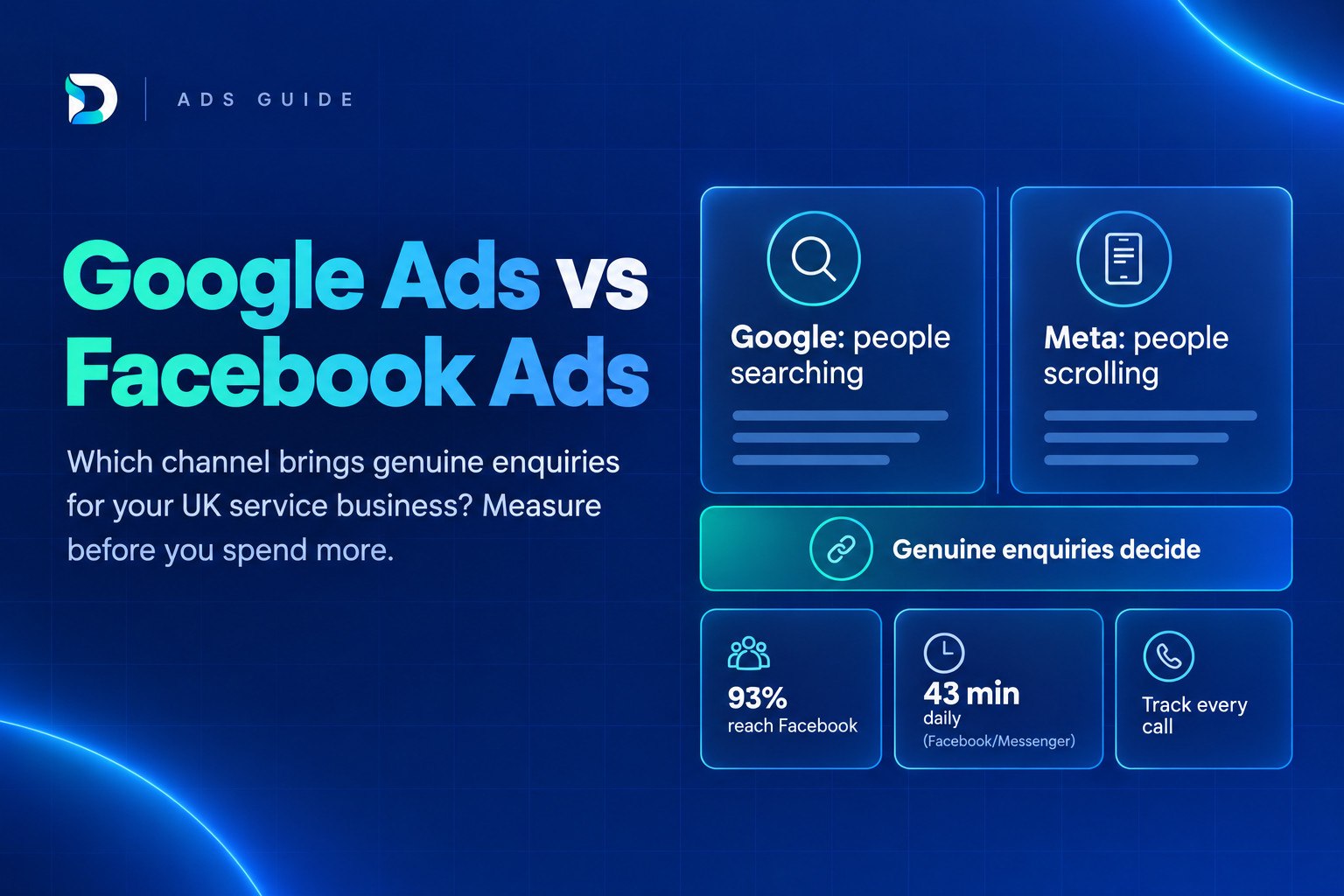
If you're weighing up Google Ads vs Facebook Ads for UK service businesses, the honest answer depends on whether people are already searching for what you sell. Google Ads catches people who are looking now. Facebook and Instagram ads put your service in front of people who weren't looking, which suits some businesses well and others badly.
This article gives you a simple way to choose where to start, then shows how to judge both channels by genuine enquiries (calls, forms and bookings from real prospects) rather than clicks or form fills.
The short answer on Google Ads vs Facebook Ads for UK service businesses
Google Ads usually suits services people search for when a problem is urgent: a burst pipe, a legal question, a toothache, a cleaner for next week. Meta ads suit services people choose after seeing them, such as a salon treatment, an aesthetics consultation or a personal training package. Meta can also work as a second channel that reminds people who have already visited your site.
Neither is better until you can see which one produces genuine enquiries. A channel that looks cheap in its own dashboard can be the more expensive one once you count the enquiries that never turn into conversations. If you're also weighing paid against organic, our guide to SEO vs PPC for faster ROI covers that separate question.
How Google Ads and Facebook Ads differ in how people find you
The core difference is what the person is doing when they see your ad.
On Google, someone types a need into a search box. Your ad appears because it matches that need. On Meta (the company behind Facebook and Instagram), someone is scrolling through friends' posts, videos and reels, and your ad interrupts that. Paid search versus paid social for local services is really a comparison of intent against attention.
| Google Ads (search) | Meta ads (Facebook and Instagram) | |
|---|---|---|
| Who sees the ad | People searching for a service or problem | People matched by location, age, interests and behaviour |
| What they're doing | Actively looking for help | Scrolling, not necessarily thinking about your service |
| Typical enquiry types | Phone calls, quote requests, emergency call-outs | Form fills, messages, bookings for considered purchases |
| What the ad must do | Match the search and prove you're the right local choice | Stop the scroll, create interest and make the next step easy |
| Common weak spot | Clicks from competitors, job-seekers and vague searches | Easy sign-ups from people who weren't ready to buy |
Reach is not the same as demand, but the scale of Meta's audience explains why it's tempting. Ofcom's Online Nation research found that Facebook and Messenger combined reach 93% of UK adults, with YouTube at 94%, and that time online is now split about half between Alphabet and Meta services. Ofcom also found that UK users spend an average of 43 minutes a day on Facebook/Messenger and 20 minutes on Instagram, with Facebook/Messenger use slightly weighted towards users aged 35 and over.
That tells you your customers are probably on these platforms. It doesn't tell you they want to buy a boiler service while they're watching videos. Being reachable and being ready to buy are different things.
Which UK service businesses suit Google Ads vs Facebook Ads
The simplest rule of thumb is this: do people search for what you sell? If a customer with a problem would reach for Google, start there. If they'd only buy after seeing something that catches their eye, Meta deserves a look first.
Leans towards Google Ads (urgent or problem-led):
- Emergency plumbers, electricians, locksmiths and drainage firms
- Solicitors handling a specific legal problem
- Dentists and clinics where patients search for a treatment or an urgent appointment
- Cleaners, pest control and other "I need this sorted" services
Leans towards Meta ads (visual or choice-led):
- Salons, barbers and beauty businesses where results are visible
- Aesthetics clinics, where people browse before they enquire, which is why Instagram ads for clinics and salons are so common
- Personal trainers and studios selling a lifestyle or a result
- A new service launch where few people know to search for it yet
Facebook ads for tradespeople in the UK sit in a middle zone. A loft conversion company or landscaper may do well showing finished work to homeowners who are thinking about a project. An emergency repair firm usually won't, because nobody scrolls Facebook while their boiler is out.
Many blog posts declare one winner for every business. That ignores the point above. A winner only exists for your type of service, in your area, with your kind of customer.
Why clicks and form fills are the wrong way to compare them
Clicks are cheap to count and easy to compare, but a click isn't an enquiry. A lead form submission isn't always one either.
Meta's instant forms show the problem clearly. They let someone share their details in a couple of taps without leaving the app. That's convenient, and it can produce plenty of sign-ups from people who tapped on impulse, don't remember doing it, or never answer when you ring. The cost per lead looks excellent while the number of real conversations stays low.
Meta's own guidance points the same way. It describes a conversion leads performance goal, used to optimise for lead quality, that is currently only available for instant forms and is used with the Conversions API for CRM data. In plain terms, aiming at lead quality relies on you sending Meta information about what happened to each lead after the form.
Google has its own version of the problem. A click might come from a competitor checking your ad, someone looking for a job, or a searcher who wanted something you don't offer. Phone calls can be misdialled, spam or sales pitches. A weak comparison of Google Ads vs Meta Ads cost per enquiry will treat all of those as equal.
The fix is to define a genuine enquiry before you compare anything. For most service businesses, that means a real person asking about work you actually do, in an area you actually cover. Our guide on how to tell if your leads are genuine walks through the checks.
How to track genuine enquiries from each channel
You don't need complicated software to start. You need consistent rules, and the same rules applied to both channels.
On Google Ads
- Set up call conversions with a minimum call length. Google Ads can count a call as a conversion either by using AI to analyse call recordings for high-quality leads, or by counting calls longer than a minimum duration you set. A short minimum filters out misdials and instant hang-ups.
- Count one form submission per lead. If someone submits twice, or a thank-you page is reloaded, your conversion numbers inflate quietly.
- Use call uploads where you can. Google Ads offers calls via uploads to track conversions that finish offline and to align reporting with your CRM or sales records. That lets you tell Google which calls turned into real work.
On Meta
- Choose your tracking route deliberately. Either send people to your website and track the enquiry there, or use instant forms and accept that quality needs checking.
- Feed outcomes back where possible. If you can pass back which leads were qualified or booked, Meta can optimise towards them rather than towards anyone who taps submit.
- Call new leads quickly and record the result. A lead that was never contacted tells you nothing about the ad.
For both channels
- Ask "How did you hear about us?" on every enquiry. Put it on forms and make it a habit on the phone. It isn't perfect, but it catches what the platforms miss.
- Remember the other sources. Your Google Business Profile and organic search also bring calls and messages. If you only count paid channels, the numbers will muddy together and paid will get credit or blame it doesn't deserve.
If calls are a big part of your work, read our guide to call tracking for service businesses before you set anything up.
How to split a small budget between Google Ads and Facebook Ads
With a limited budget, spreading it thinly across both channels is usually the worst option. Neither gets enough activity to learn, and you end up unable to judge either.
A sensible order looks like this:
- Start with the channel that matches demand. Use the "do people search for it?" test above.
- Give it enough time to learn. Both platforms need data before they perform steadily. Early weeks are often untidy.
- Measure before you add. Add the second channel only when you can see genuine enquiries from the first.
- Test the second channel as a clearly separate experiment. Give it its own budget line, its own tracking and a clear question, such as "does Meta bring bookings for this treatment?"
A common mistake is adding Meta to a Google Ads account that isn't yet measured properly, then arguing about which channel "worked" because nobody can say. Measurement first, more channels second.
What to review at 30, 60 and 90 days
- At 30 days: Are calls being answered? Are tracking and conversion settings counting the right things? Are the leads even relevant?
- At 60 days: How many enquiries were qualified, meaning real people asking about work you do and can deliver?
- At 90 days: How many became booked jobs, and what was the cost per genuine enquiry and per booked job for each channel?
Judge both channels on those last two numbers, not on clicks or cost per lead. For realistic UK budget ranges, see what Google Ads costs a UK service business. Avoid planning around US cost-per-click figures, which don't reflect UK markets.
Seeing both channels in one place
Google Ads and Meta each report their own conversions, and each has an interest in claiming the credit. If someone sees a Facebook ad, later searches for your name on Google and then rings you, both platforms can count that enquiry. Add them together and you may have more "conversions" than you had real customers.
A joined-up view should answer four questions without a spreadsheet exercise:
- Which channel did the enquiry come from?
- Which campaign or ad prompted it?
- How many were genuine enquiries?
- What did each channel cost per genuine enquiry?
That's what DRD, the Dashient Reporting Dashboard, is built to show. It brings Google Ads, Meta Ads, GA4, Search Console and Google Business Profile into one view and connects the data back to enquiries. It starts from £49/month, with a 30-day free trial and no card needed.
If you'd rather have someone run the campaigns, Dashient also offers Google and Meta ads management for service businesses. The reporting comes first either way, because you can't judge the channels without it.
Frequently asked questions
Next step: see which channel brings real enquiries
Choosing between Google Ads and Facebook Ads matters less than being able to see what each one brings you. If you can't yet say which channel produced last month's genuine enquiries, start there. You can start your free 30-day DRD trial with no card needed and see your Google Ads, Meta Ads and other sources in one place.