Call Tracking for Service Businesses UK: A Practical Guide
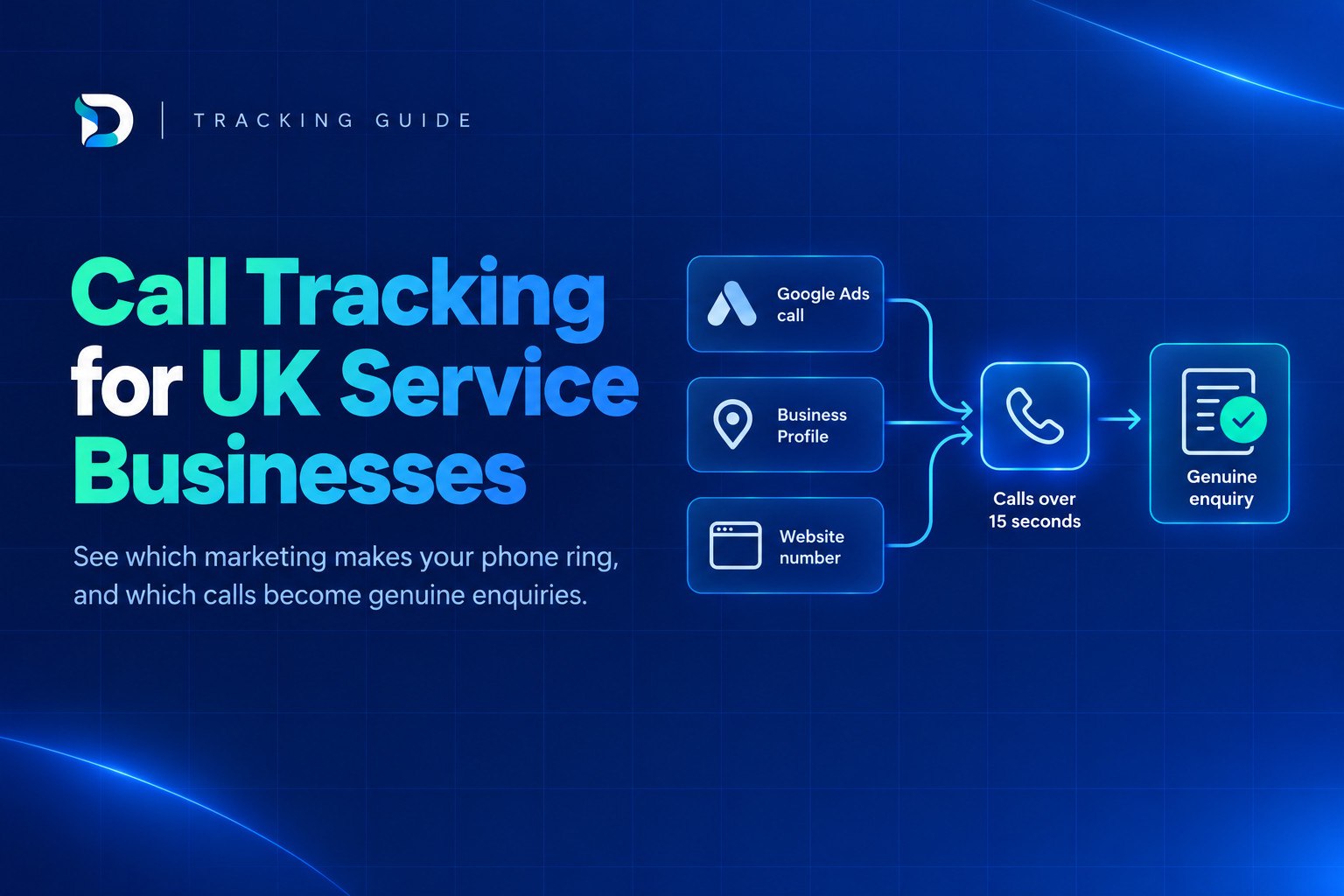
If your enquiries mostly arrive by phone, call tracking for service businesses UK is how you find out which ad, search result or Google Business Profile visit made the phone ring. You do not need to buy software on day one. Start with the free options in Google Ads and GA4, then add number swapping only when several channels are competing for credit.
The final step matters most. A tracked call is only worth counting once you know it was a genuine enquiry, not a wrong number, a sales call or an existing customer.
Call tracking for service businesses in the UK at a glance
- What it does: shows which marketing source (ad, organic search, Business Profile) produced each phone call.
- Start free: turn on Google Ads call reporting and set up GA4 click-to-call events.
- Add paid number swapping later: only when you run several channels and need call-level source data beyond what the free tools show.
- Check the rules: cookie consent and call recording both have UK requirements.
- Judge calls by outcome: log whether each call became a booking, quote or nothing. This feeds the bigger picture in our guide on how to know where your leads are coming from.
Why your reports miss phone enquiries
Picture a homeowner with a leaking boiler. They search, click your ad, glance at the page and ring the number. No form is submitted, so your website report shows a visit and nothing else. The ad did the work, but the report says it did not.
This happens across service businesses:
- Plumbers and electricians: urgent jobs get a phone call, not a form.
- Clinics: patients often want to speak to someone before booking.
- Solicitors: people want reassurance before they share details in writing.
- Salons: many clients still ring to check availability, especially on mobile.
If you judge your marketing only by form fills, you will under-credit the channels that drive calls, and you may cut the ones that work. A business can easily pause a profitable campaign because "the form leads dried up", when the phone has been ringing all along.
A related problem is last-click attribution, which hands all the credit to whichever source the person used just before converting. Phone calls make this worse because the call itself often has no source attached. You also need a way of checking whether a call is a genuine lead, which we come back to below.
Four call tracking methods for service businesses: free to paid
There are four broad approaches. They are not rivals. Most small businesses start at the top of the table and move down only when they hit a limit.
| Method | What it shows | What it misses | Best for |
|---|---|---|---|
| 1. Google Ads call reporting (forwarding numbers) | Calls from your ads: time, duration, campaign, ad group | Calls from SEO, Business Profile and other channels | Anyone running Google Ads with call ads or a call-heavy website |
| 2. GA4 click-to-call events | Taps on your phone number on the website, by source and page | Numbers dialled by hand, and whether the call connected | Mobile-heavy sites wanting free organic and paid click data |
| 3. Static tracking numbers (one per source) | Which source's number was dialled | Source detail beyond the number itself (keyword, page) | Print, vehicle livery, directory listings, one number per channel |
| 4. Dynamic number insertion (DNI) | Source, and often campaign or page, for each call from the website | Anything not on the website, and users who decline cookies | Businesses running several online channels at once |
A few notes on each.
Google Ads call reporting uses a Google forwarding number. There is no separate software to buy, but it only covers Google Ads.
GA4 click-to-call is not automatic. GA4's Enhanced Measurement does not capture phone link clicks by itself, so you need to set up an event, typically by tracking clicks on tel: links through Google Tag Manager. It records a tap, not a conversation.
Static numbers are simple but clumsy. You pay for several numbers and have to remember which one is where.
DNI swaps the number shown on your website depending on where the visitor came from. It is the most informative option for web traffic, and also the one with the most setup and compliance to think about.
How to set up Google Ads call tracking in the UK
If you advertise on Google, this is the best place to start. Google lists the UK among the countries where forwarding numbers are available. The number routes the call to your real business line, and Google Ads records details such as the time, duration, campaign and ad group.
Step by step
- Turn on call reporting. In your Google Ads account settings, enable call reporting. With it on, Google assigns a forwarding number to the ad and tracks call duration, start time, caller number for calls over 15 seconds, and whether the call connected.
- Add call assets. Add your number as a call asset so it appears on your search ads, and use call ads where they suit the campaign.
- Create a call conversion action. Set one up for calls from ads, and choose a minimum call length. Pick a length that filters out misdials without throwing away short but genuine calls. For some trades, a longer minimum may suit you better.
- Add website calls if needed. If people call from your landing page, set up a conversion for calls from the number on your site too.
- Check it works. Ring the forwarding number yourself and confirm the call appears in reporting.
What you will be charged
Be aware that turning call reporting off shows your direct number but stops Google Ads tracking calls. In that case, when someone taps your ad to call, you are charged for a click at the same cost per click as a click to your website.
Marking a call as a real job
Counting calls is a start, but it is still only a call. With call details forwarding, Google gives a unique Click ID for each call over 15 seconds to a call ad. A call analytics provider can use that ID to send conversion data back to Google Ads through offline conversion import. In practice, this lets you tell Google "this call became a booked job", so bidding can learn from real outcomes.
A word of caution on recordings: check Google's current help page to see whether call recording is available to you before you promise yourself, or your team, that you can listen back to calls.
Tracking calls from SEO and your Google Business Profile
Paid calls are the easy part. Organic calls need more thought, because there is no ad platform doing the tracking for you. To track phone enquiries from SEO, you have three realistic options.
- GA4 click-to-call events. Set up the event described above, then mark it as a key event in GA4. You will then see how many people tapped to call, from which source and landing page. For GA4 click to call tracking, this is the cheapest route.
- DNI for organic traffic. A number-swapping tool can show a different number to visitors from organic search, so you see calls from SEO as their own source. This captures people who dial by hand from a desktop screen, which GA4 cannot.
- The Performance view in Google Business Profile. This shows interactions with your listing, including taps on the Call button.
Limits to know about
Business Profile counts only taps on the Call button. If someone sees your number and dials it from another phone, or types it in by hand, it is not counted. Treat it as a useful trend, not a full count of calls.
Be careful with your listing's main number. Changing it to a tracking number can break the consistency of your name, address and phone number (NAP) across the web, and that consistency matters for local visibility. Use a tracking number only as a secondary number if you must, and keep your main number consistent everywhere.
Google has also changed Business Profile features over time, and sources conflict on whether call history is still available. Check Google's current Business Profile help page rather than relying on an old article, including this one. If calls from your listing seem low, the problem may be visibility itself. See our guide on Google Business Profile not showing in the map pack.
UK rules for call tracking: cookies, consent and call recording
This is a plain-English summary, not legal advice. If you are unsure, take advice and read the ICO's current guidance.
Cookies and number swapping
Under the UK's PECR rules, storing or reading information on someone's device generally needs consent, unless an exception applies. The Data (Use and Access) Act 2025 added a statistical purposes exception to the PECR cookie rules. It is narrow. It applies only where the cookie is used solely to collect statistical information to improve the website, and the information is not shared with anyone else, except to help improve the service.
In practice, advertising-related tracking is unlikely to fit that exception, so it will generally still need consent. Number swapping and ad tracking may rely on cookies, so check what your consent banner covers, and what your provider's script actually does. If visitors decline cookies, expect gaps in your data. That is normal and better than ignoring consent.
Recording calls
Counting calls is different from recording them. If you record calls, good practice is to:
- tell callers, usually with a short message at the start of the call;
- document your lawful basis and why you need recordings;
- decide how long you keep them and who can listen.
Check the ICO's guidance for the detail. Many small businesses do not need recordings at all. Duration, source and outcome notes often answer the question you care about. Do not collect more than you need.
From a call to a genuine enquiry
A tracked call is not automatically a lead. Cost per call can look healthy while cost per genuine enquiry is poor, because a chunk of calls are suppliers, recruiters, wrong numbers or existing customers.
Log an outcome against each call. A simple list is enough:
- booked job or appointment
- quote requested
- wrong number
- sales or spam call
- existing customer
- no answer or missed
Then do a 10-minute review once a week. Look at the calls, match them to the source where you can, and note which sources produced booked work, not just ringing. Missed calls matter too, since a call you did not answer is a lead you paid for and lost.
If you run Google Ads, import the outcomes back, as described earlier, so the platform learns what a real job looks like. For a wider comparison of your options, see our guide to lead tracking software for UK businesses.
The principle is simple: honest reporting before more channels. Adding another source of calls does not help if you cannot say which ones were worth having.
Bringing your marketing data into one view
Even with all of the above in place, you can end up with a call report in one tab, GA4 in another and Google Ads in a third. Each tells part of the story, and you still end up guessing how they fit together.
That gap is what the Dashient Reporting Dashboard (DRD) is built to close. It brings Google Ads, Meta Ads, GA4, Search Console and Google Business Profile into one view and connects the data back to enquiries, so you can see which marketing brings genuine enquiries rather than just clicks.
To be clear about what it is not: DRD is not a call tracking or call recording tool, and it does not replace a call tracking provider. Think of it as the place where your ad, search and website data are read against the enquiries you actually receive. It starts from £49/month, with a 30-day free trial and no card needed.
Frequently asked questions
Next Step
Start with the free tools, log what each call turns into, and add paid number swapping only when you can show it answers a question you cannot answer today. When you want your marketing data in one honest view, you can start the 30-day DRD free trial. No card is needed.