One Dashboard, Five Channels: How UK Businesses Are Finally Seeing Where Leads Come From

Most UK service businesses can tell you one number: how many enquiries came in last month. What they usually can't tell you is where those enquiries actually came from — SEO, Google Ads, Meta Ads, a Google Business Profile call, or a referral. When your ad platform, your analytics tool and your agency's report all show different totals, it's almost impossible to know what's really working. This is exactly the gap that one connected dashboard across multiple marketing channels is built to close.
What Is Multi-Channel Lead Attribution?
Multi-channel lead attribution means tracking how a lead moves through your marketing before it becomes an enquiry. A real customer journey rarely looks like one click; someone might find you through Google Search, come back later through Google Ads, and finally call you from your Google Business Profile listing. Attribution connects those touchpoints instead of crediting only the last one, giving you a much more accurate picture of what actually influenced the sale.
The Five Channels Most UK Businesses Rely On
For most service businesses, leads realistically come from five reporting categories:
- SEO — organic search traffic that finds you through Google.
- Google Ads — paid search campaigns and clicks.
- Meta Ads — Facebook and Instagram campaigns.
- Local SEO / Google Business Profile — map-pack visibility, calls and direction requests.
- Referral — word-of-mouth and other direct sources.
Tracking each of these separately is useful. Seeing them together, against the same enquiries, is what actually tells you the full story.
Why Lead Volume Alone Doesn't Tell the Full Story
A high number of enquiries can be misleading if most of them never turn into customers. A more useful framework is:
Lead Generated → Lead Qualified → Working → Sales Opportunity → Client → Revenue.
A channel producing fewer leads but more clients is often more valuable than one producing lots of enquiries that go nowhere.
What a Good Lead Attribution Dashboard Should Show
A dashboard built for business owners, not just marketers, should be simple to read at a glance:
| Dashboard View | What It Shows |
|---|---|
| Overview | Total leads, qualified leads, opportunities and clients, all in one place. |
| Channel Performance | SEO, Google Ads, Meta Ads, Local SEO/GBP and referrals side by side. |
| Lead Quality | Genuine vs spam, qualified vs disqualified, working vs converted. |
| Business Outcomes | Cost per lead, cost per qualified lead, and revenue by channel. |
A Quick Example (Illustrative)
Imagine a UK trades or professional services business receiving leads from all five channels above. Their dashboard might show that Google Ads brings in the most enquiries, but Local SEO and referrals convert into paying clients far more often. (This is an illustrative example only, not real client data.) Without a combined view, that business would likely keep spending on the channel that looks busiest, not the one that's actually profitable.
Why Last-Click Attribution Misses Part of the Journey
Last-click reporting gives all the credit to whichever channel happened to be involved right before the enquiry — usually Google Business Profile or a direct visit. It often hides the channel that started the journey, such as a Meta ad someone saw days earlier. Last-click isn't wrong exactly, but on its own it's incomplete, which is why looking at the full path matters.
How the Dashient Reporting Dashboard Brings This Together
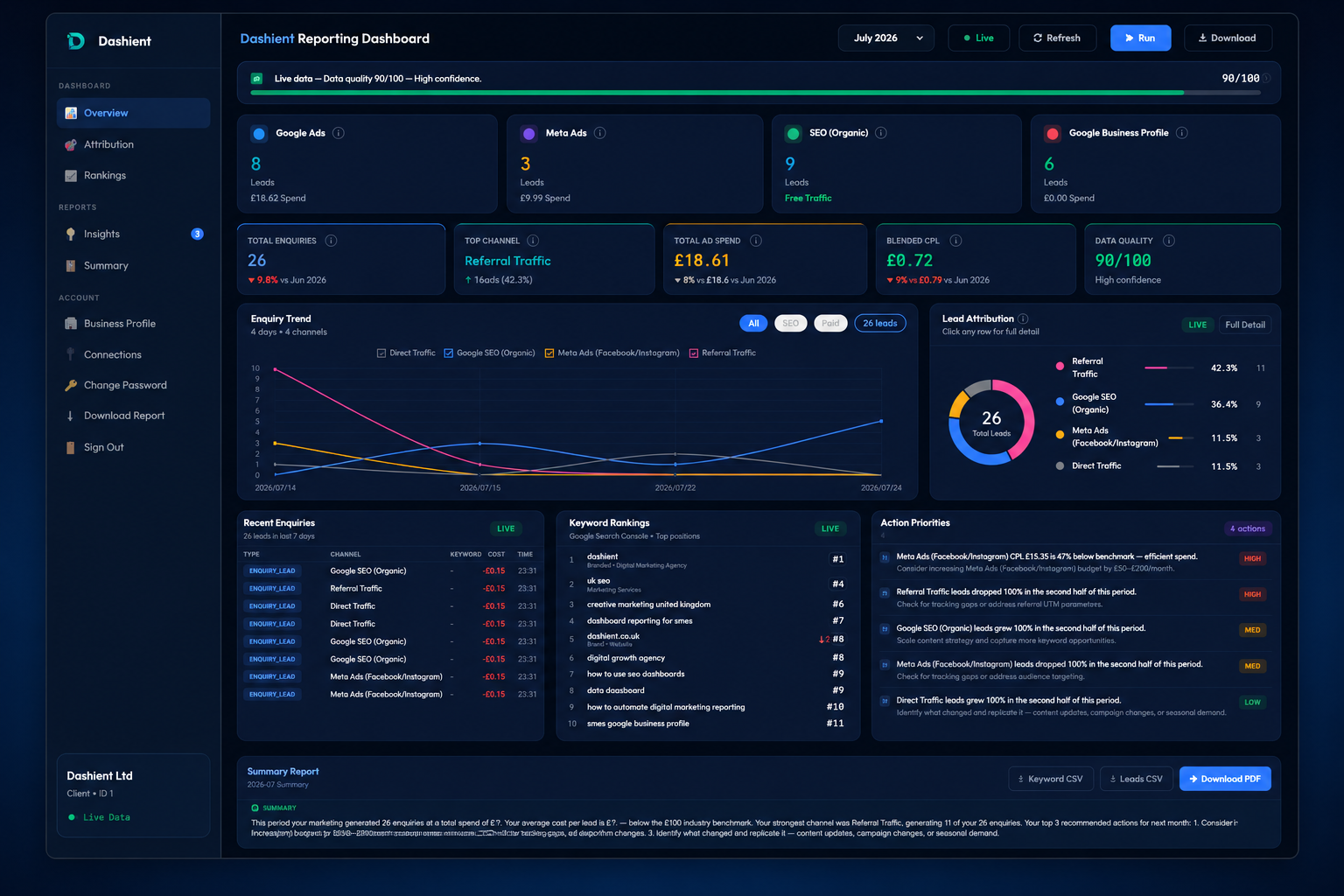
This is exactly what the Dashient Reporting Dashboard (DRD) was built to do. It connects Google Ads, Meta Ads, GA4, Search Console and Google Business Profile into one connected view, matches every enquiry to its real source, and filters out spam so you're only looking at genuine leads. Instead of five separate logins and five different numbers, you get one dashboard that actually agrees with itself.
If you manage your own marketing and just want the reporting, DRD is also available on its own through our self-serve dashboard plans, starting from £49/month with a 30-day free trial. If you'd rather have it done for you, it comes built in with our SEO services — including dedicated local SEO — and our Google & Meta Ads management. See exactly how it works before you decide.
Frequently asked questions
Final Thoughts
You don't need to guess which marketing channel is actually working. Once you can see SEO, Google Ads, Meta Ads, Local SEO and referrals side by side — matched to real, qualified enquiries — deciding where to spend your budget becomes far simpler. One dashboard, five channels, one honest answer.
Ready to see it for your own business? Start a 30-day free trial of the self-serve dashboard, or Book Your Free Growth Audit to have it set up for you. You can also follow Dashient on Facebook and LinkedIn.