Google Ads Offline Conversion Tracking for UK Service Businesses
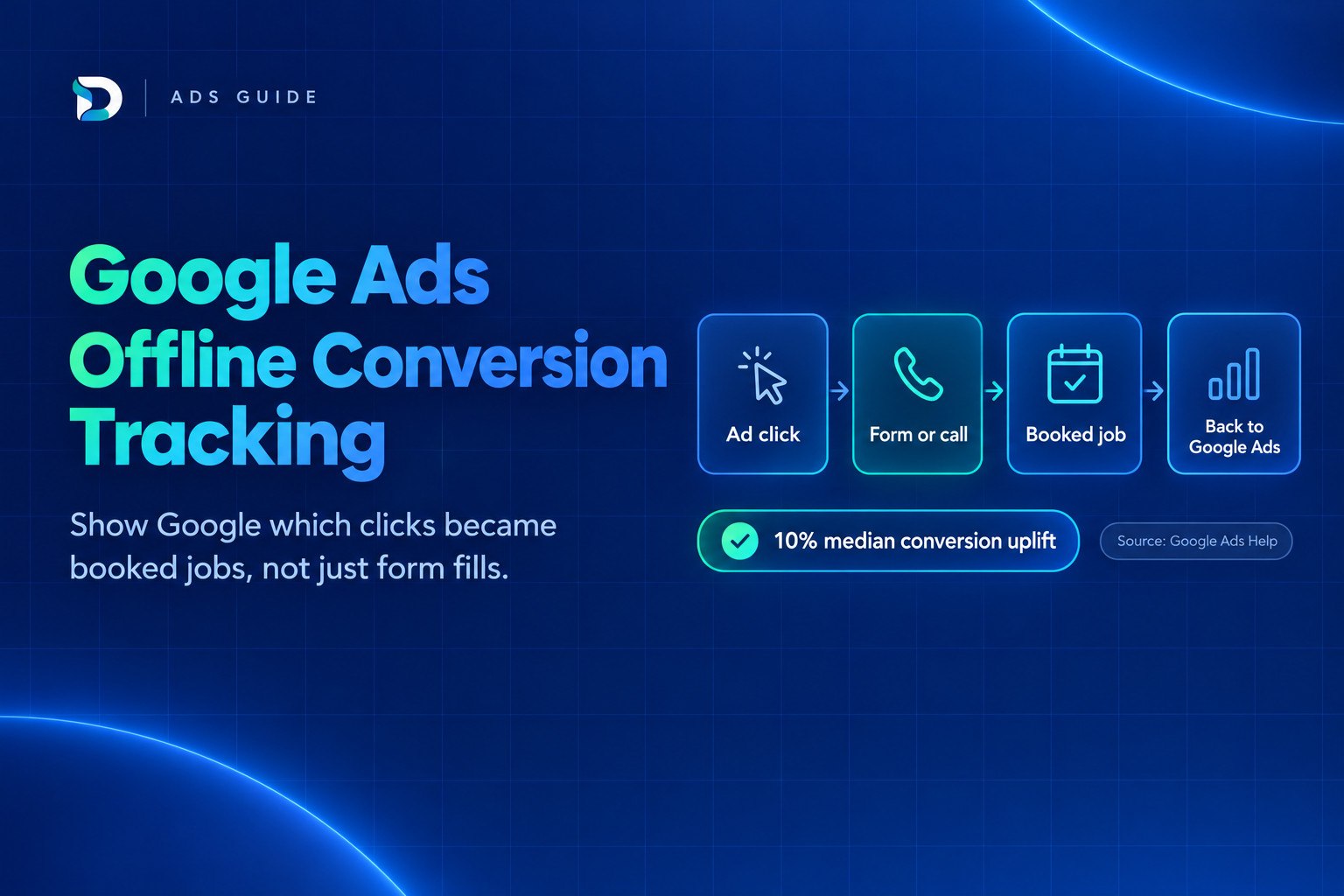
If you want google ads offline conversion tracking to work for a UK service business, the idea is simple: you tell Google Ads which enquiries later became qualified leads, booked jobs or paying customers. Google then sees results beyond the form fill or phone call, and you can judge your campaigns by the work they brought in.
It takes a little set-up and some honest record keeping. This guide covers what to send back, how the 2026 changes affect you, how to set it up, and what to check under UK GDPR.
Google Ads offline conversion tracking at a glance
- What it is: passing the outcome of an enquiry (qualified, booked, paid) back to Google Ads, matched to the original ad click or to the customer's contact details.
- Who needs it: anyone paying for leads who then quote, book or close by phone, email or in person. That covers most trades, clinics, solicitors, salons and cleaners.
- Who can wait: businesses with very low enquiry volume, or without the tracking basics in place. If your ordinary form and call conversions are not firing correctly, fix that first.
- What it needs: auto-tagging switched on, a record of the click ID or customer details saved with each enquiry, and a simple outcome log with a status for each lead.
Google states that auto-tagging is necessary to import offline conversions, so check that setting before anything else.
Why a Form Fill Is Not the Same as a Customer
Google Ads counts a conversion when someone completes the action you told it to track, usually a form submission or a call. It has no idea what happened next. The enquiry could be spam, outside your area, a price shopper who never replies, a no-show, or a valuable job.
So an account can look healthy while the diary stays empty. Cost per lead falls, conversions rise, and the phone is full of people you cannot help. Google's bidding then learns from those poor signals and finds you more of the same.
Owners can spend months optimising for cheap enquiries and only then discover that most of them were never going to buy. Offline tracking is how you stop that. It moves the target from "a form was filled in" to "someone worth talking to arrived".
If you are not sure how many of your leads are real, start with how to tell if your leads are genuine. And if your basic form and call tracking is not solid yet, read Google Ads conversion tracking for service businesses first, because offline imports sit on top of it.
What to Send Back: Enquiry, Qualified, Booked, Paid
Do not import every status in your system. Pick the stages that mean something and that you can record consistently.
| Sector | Good first stage to send | Good second stage |
|---|---|---|
| Trades | Quote sent | Job booked |
| Clinics | Consultation booked | Consultation attended |
| Solicitors | Qualified enquiry | Instruction |
| Cleaners | Qualified enquiry | First booking |
| Salons | First booking | Return booking |
Start with one or two stages, usually "qualified lead" and "booked job". Each extra stage is another thing to keep accurate, another conversion action to manage, and another way to confuse bidding.
Only include a value if it is reliable. If your job values are rough guesses, or vary wildly between quote and final invoice, send the conversion without a value. A trusted count of booked jobs is more useful than a number nobody believes.
How It Works in 2026: Click IDs, Enhanced Conversions and Data Manager
There are two ways to match an offline outcome to an ad click.
The click ID route. When someone clicks your ad with auto-tagging on, Google adds a unique click ID (the GCLID) to the landing page URL. You save it with the enquiry, and when that lead becomes a booked job, you send the GCLID back with the outcome. This is what people mean by a GCLID offline conversion import.
The customer details route. Instead of, or as well as, the click ID, you send an email address or phone number, which is hashed before it is uploaded. This is the basis of enhanced conversions for leads. Google reports that advertisers who used first-party data such as emails and phone numbers alongside GCLIDs saw a median 10% increase in conversions compared with standard offline conversion imports.
What this means for Google Ads offline conversion tracking on a small account
Google has been changing the plumbing, and older guides are often out of date. The main points:
- Google recommends that advertisers not yet using offline conversion import start with enhanced conversions for leads instead, and describes the older import as a legacy feature.
- From April 2026, enhanced conversions for web and leads are combined into a single on/off setting, and Google Ads accepts user-provided data from website tags, Data Manager and API connections.
- From 15 June 2026, offline conversion import and enhanced conversions for leads uploads are migrated to the Data Manager API and blocked in the Google Ads API.
For a small business, the practical point is this. If an agency, a CRM integration or a developer set up your uploads some time ago, find out which route they use. A connection built on the old API could have stopped sending data without any obvious error, and your conversion columns would just go quiet.
Ask whoever manages it three questions. Which route are uploads using now? When did the last successful upload happen? Where would we see a failure? If nobody can answer, check the diagnostics in Google Ads and the Data Manager section of your account.
Screens and menu names change often, so use Google's own help pages for click-by-click steps rather than an out-of-date screenshot guide, including this one.
Step-by-Step Setup for a Small Service Business
- Turn on auto-tagging. It sits in your account settings. Without it, there is no click ID to save.
- Capture the click ID or contact details on forms. Your website form needs a hidden field that stores the GCLID, or a reliable way to record the visitor's email or phone number. Log phone and WhatsApp enquiries too (more on that below).
- Keep a simple enquiry log or CRM with a status column. A spreadsheet is fine to begin with. Each row needs the date, the contact details, the click ID if you have one, and a status such as new, qualified, quoted, booked, lost or spam. If you are weighing up tools, lead attribution software vs a CRM explains where each fits.
- Create the offline conversion action for each stage. Name them clearly, for example "Qualified lead" and "Booked job". Whatever you upload must match those names exactly, or the data will not attach.
- Upload a small test batch of known outcomes. Use a handful of recent leads whose results you are certain about. It is much easier to fix a mapping problem with ten rows than with a thousand.
- Check diagnostics, then automate. Review any errors Google reports, such as unmatched click IDs or naming mismatches. Once a manual upload works cleanly, move to a scheduled or automated feed through your CRM, Data Manager or your agency's tooling.
- Review after a full sales cycle. A roofing quote may take weeks to become a job, whereas a salon booking may take days. Wait until enough enquiries have reached their outcome before judging results.
Two details matter more than they look. First, timing: upload outcomes promptly, because Google only accepts conversions within a limited window after the click. Check the current limit in Google's help pages. Second, primary and secondary conversions: if you import "Qualified lead" and "Booked job" and also keep "Form submitted" as a primary goal, bidding may be optimising to all three at once. Decide which action Google should bid towards, and set the rest as secondary so they report without steering.
Phone Calls, WhatsApp and Walk-Ins: Closing the Gaps
Most service enquiries never touch a form. People ring, message on WhatsApp, or turn up. If those outcomes only live in someone's head, your offline data will be skewed towards the one channel that is easy to track.
Ways to fill the gaps:
- Call tracking. A tracked number shows which campaign or ad produced a call, and often records it for you to review. See call tracking for service businesses for how to choose and set it up.
- WhatsApp click tracking. Track clicks on your WhatsApp button as an enquiry, then log what happens in the chat in the same status sheet as everything else.
- "How did you find us?" Ask every caller and every walk-in, and record the answer. It is imperfect, but it is far better than nothing.
Some leads will have no click ID, and Google will not be able to match them. That is fine. Keep them in your own reporting regardless. Your enquiry log is the source of truth for the business, and Google's import is one slice of it that helps the ad platform learn.
UK GDPR and Consent: What to Tell Customers
Sending contact details or click IDs linked to an enquiry back to an advertising platform is a use of personal data, so you need to be open about it. This is not legal advice, but the ICO's guidance is clear on the basics. Under UK GDPR you must give people privacy information, including the purposes, retention periods and who the data is shared with. You must also bring any new use of their data to their attention before you start that processing.
Practical checks:
- Read your privacy notice. Does it say you share data with advertising platforms such as Google to measure and improve advertising?
- Put a short line near the form, linking to the full notice.
- If you already hold older enquiries and plan to upload them, check whether the notice covered that use when you collected the data.
- Only send what you need. For most businesses that is a click ID and an outcome, or a hashed email or phone number with an outcome, and not clinical notes or case details.
Example wording for a form:
"We use the details you give us to respond to your enquiry. We may also share limited information, such as your contact details and whether your enquiry led to a booking, with advertising providers like Google so we can measure and improve our advertising. See our privacy notice for details and how to object."
Clinics and solicitors should be especially careful, as the nature of an enquiry can itself be sensitive. If you are unsure, take a quick check with a data protection adviser before uploading anything. Your consent banner and cookie settings also affect what your tags can collect, so review those alongside this.
Common Mistakes and How to See the Result in One Place
The most common mistakes:
- No click ID saved. The form never stored it, so nothing can be matched later.
- Mismatched conversion names. The upload says "Booked Job" while the action is called "Job booked", and nothing attaches.
- Uploads too late. Outcomes are batched once a quarter and fall outside the window.
- Importing every status. Ten conversion actions confuse both bidding and the owner.
- Optimising to a value nobody trusts. Guessed values teach Google to chase the wrong jobs.
- Treating Google's numbers as the whole story. Google can only report on what it can match.
That last point matters most. Offline data helps only if you can compare channels side by side. Your best Google Ads campaign might look average once you set it next to Meta leads, organic search and Google Business Profile calls, or the reverse.
This is the problem DRD, the Dashient Reporting Dashboard, is built for. It brings Google Ads, Meta Ads, GA4, Search Console and Google Business Profile into one view and connects the data back to enquiries, so you can see which marketing brings genuine enquiries in DRD rather than reading five separate platforms. It starts from £49/month, with a 30-day free trial and no card needed.
Frequently asked questions
Next Step: See Which Enquiries Become Customers
Start small. Turn on auto-tagging, save the click ID, keep a status column, and send back one or two outcomes. Once Google learns from booked jobs rather than form fills, you can judge each channel on genuine enquiries.
If you would like to see Google Ads, Meta and organic results in one place, start your free DRD trial.