Google Ads Clicks vs GA4 Sessions: Why They Don't Match
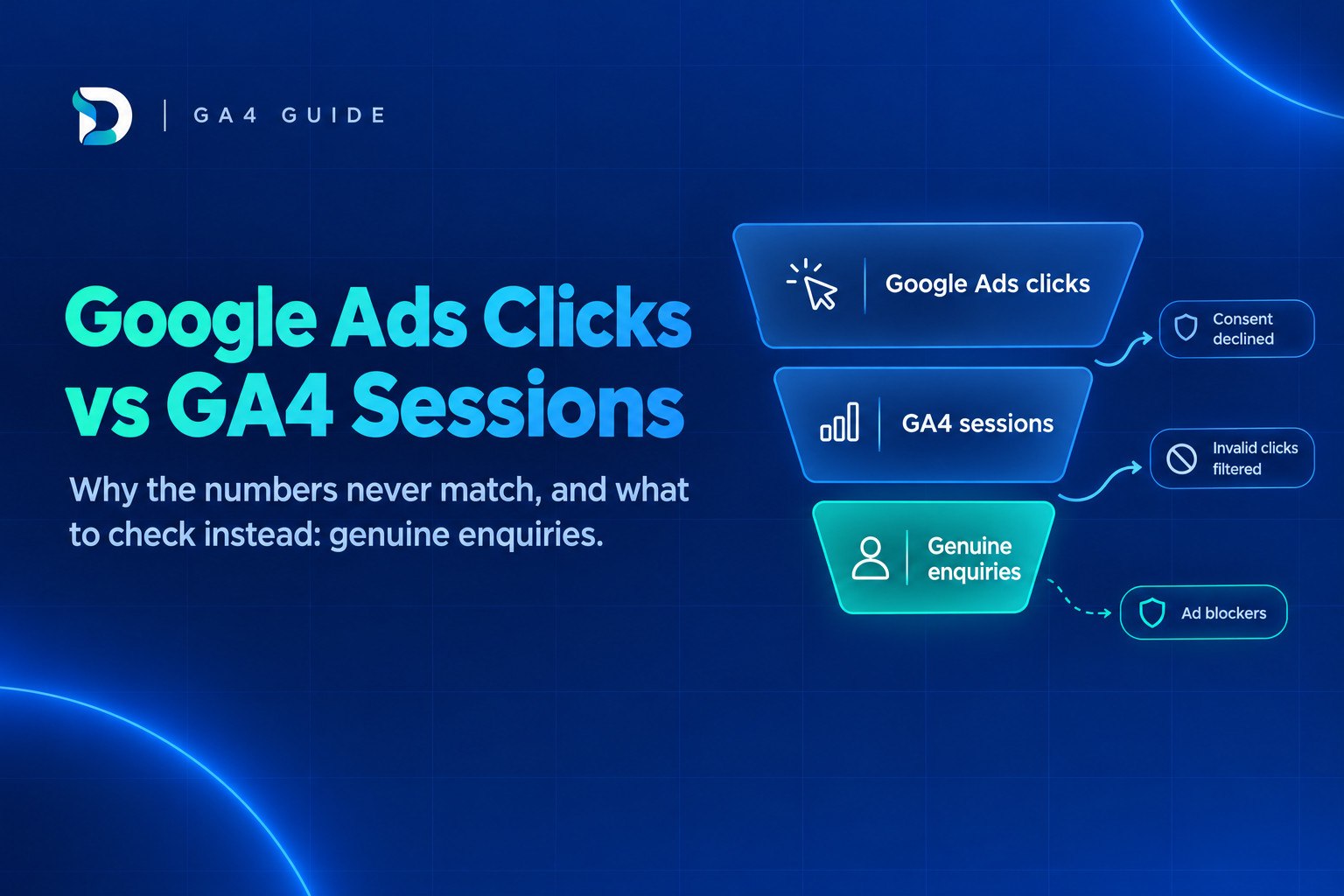
If you're comparing Google Ads clicks vs GA4 sessions and the numbers don't match, that is normal. A click is counted when someone interacts with your ad. A session only exists if GA4 loads on your page and starts a visit. Google Ads Help says plainly that Google Ads tracks clicks while Analytics tracks sessions and users, and that these are different metrics.
A gap does not automatically mean wasted spend, click fraud or broken tracking. It does give you a reason to run a short diagnosis, and this article sets one out in order. It also covers the UK cookie-consent effect that is easy to overlook, and the question that matters more: did the click turn into a genuine enquiry?
Google Ads clicks vs GA4 sessions at a glance
- A click is recorded by Google Ads the moment someone interacts with your ad.
- A session is recorded by GA4 only after your page loads, the GA4 tag fires and a visit begins.
- Exact matches are not expected. Because they count different things, some gap is normal on almost every site.
- A gap is not automatically wasted spend. It is a prompt to check tracking, page speed and consent settings.
- The number that matters to the business is how many genuine enquiries the ads produced, and what each one cost.
Google Ads clicks vs GA4 sessions: what each one actually counts
A click is a single interaction with your ad. If the same person clicks your ad twice in the same visit, Google Ads counts two clicks. Analytics Help notes that this is counted as one user in Analytics.
A session is a period of activity on your website. It starts when GA4 successfully loads and records the visit, not when the ad is clicked. If the page never loads, or loads without the GA4 tag firing, there is a click but no session.
The relationship also works the other way. One click can lead to several sessions over time. Someone might click your ad, bookmark the page, then come back directly the next day. Google Ads has one click, but GA4 may show more than one session, and the later visits may not be attributed to the ad at all.
A simple worked example
These numbers are purely illustrative. Say a local clinic's Google Ads account shows 100 clicks in a week and GA4 shows 82 sessions from Google Ads traffic. The 18 missing visits might be made up of:
- A handful of visitors who closed the tab before a slow mobile page finished loading.
- A few who declined analytics cookies on your banner.
- One or two using ad blockers or privacy-focused browsers.
- A couple of repeat clicks from the same person within one visit.
None of that is wasted money in the sense of a broken campaign. Some of it is worth fixing, particularly page speed. That is why the cause matters more than the size of the gap.
| Google Ads clicks | GA4 sessions | |
|---|---|---|
| Counted when | Someone interacts with the ad | GA4 loads and a visit starts |
| Depends on your website | No | Yes |
| Affected by cookie consent | No | Often, yes |
| Invalid clicks | Certain invalid clicks filtered out by Google | Reports all the resulting sessions |
| Repeat clicks in one visit | Each counted | Often one user |
Why GA4 can show fewer sessions than Google Ads clicks
If your GA4 sessions are lower than your ad clicks, these are common causes to work through.
1. The visitor left before the page loaded. On a slow mobile page, a person can tap your ad, lose patience and leave before GA4 gets a chance to run. You paid for the click, but GA4 never saw the visit. For trades and local services, where many searches happen on phones, this is a good first thing to check.
2. Declined analytics cookies. If your site asks for cookie consent and the visitor says no, GA4 may not record that visit. The next section covers this in detail.
3. Ad blockers and privacy browsers. Some visitors block analytics scripts entirely. The ad click still counts in Google Ads, but GA4 may never hear about the visit.
4. Redirect chains or landing pages that strip the gclid. Google Ads uses a click identifier (the gclid) added to your landing page URL when auto-tagging is on. If your page redirects, for example from a non-www version to a www version or through a booking tool, and the identifier is lost along the way, GA4 may record the visit as direct or something else instead of Google Ads.
5. Timezone and reporting-date mismatches. If Google Ads and GA4 are set to different timezones, or you are comparing different date ranges, the totals will not line up. This is dull but very common.
6. Invalid click filtering. Google says that Google Ads automatically filters certain invalid clicks from its reports, while Analytics reports on all the resulting sessions. Google also says that having more sessions than clicks can indicate positive engagement, which answers the question of whether GA4 can show more sessions than Google Ads clicks. It can, for example when people return to your site after one ad click.
The UK cookie consent effect on your numbers
This is a cause that UK site owners can easily overlook.
When a visitor declines analytics cookies, Google Ads still counts the ad click, because the click happened on Google's side. GA4 may not record the visit on yours. The result is a widening gap between clicks and sessions that has nothing to do with your campaign quality.
The rules changed recently. The Data (Use and Access) Act 2025 inserted a new Schedule A1 into PECR, in force from 5 February 2026, adding exceptions for statistical purposes, website appearance and emergency assistance.
It is tempting to read that as "analytics no longer needs consent". The ICO's guidance is more careful. The statistical purposes exception applies only when the sole purpose of the storage or access is collecting statistics about the use of your service. The ICO says it does not apply to purposes related to online advertising, where consent is required.
If you run Google Ads and use GA4 data to measure or optimise those ads, many UK sites will still need a consent banner. This is not legal advice, so check your own setup with a qualified adviser. For the practical side, see our guide on how cookie consent affects lead tracking in the UK.
The takeaway for reporting: if your banner is working properly, a gap between clicks and sessions is partly expected. It is the price of respecting visitor choice.
Why Google Ads conversions and GA4 key events differ too
The same mismatch shows up in conversions, and the naming adds to the confusion. Google's own wording is:
- In Google Analytics, events that measure important actions are called key events.
- A conversion is what you create in Google Ads from an Analytics key event, and a linked Google Ads account is required to create it.
So a form submission can be a key event in GA4 and a conversion in Google Ads, and the two counts can still differ. The usual reasons:
- Different attribution. GA4 and Google Ads can credit the same enquiry to different sources, depending on the attribution settings you use in each.
- Different dates. The two tools can place the same enquiry on different days. A click on Monday that turns into an enquiry on Thursday may land on different dates in each tool, depending on how each one reports it.
- Phone calls GA4 may not see. If Google Ads counts calls from your ads, GA4 may not see them unless you have set up separate tracking.
- Organic and direct visits. A GA4 key event counts everyone who completes it, including people who arrived from Google Search results, a Business Profile or a typed address, and never touched an ad. Google Ads only counts conversions it can link to an ad interaction.
So Google Ads conversions and GA4 key events should be compared with care, not expected to agree. If you have not yet set conversions up properly, start with our guide to setting up Google Ads conversion tracking properly.
A 15-minute checklist to find out if the gap is a problem
Work through these in order, starting with the simplest checks.
- Match the date range and timezone. Use the same dates in both tools and check each account's timezone setting.
- Confirm auto-tagging is on in Google Ads. Without it, GA4 has a much harder time attributing visits to your ads.
- Test the landing page URL. Click your own ad (or paste a test URL with a gclid parameter) and check the address bar after the page loads. If the parameter disappears through a redirect, you have found a problem.
- Check page speed on mobile. Load the landing page on a phone using mobile data, not office wifi. If it feels slow to you, it feels slower to a person in a hurry.
- Confirm GA4 and Google Ads are linked in the admin settings of each.
- Check the consent banner. Does it appear on the landing page? Does GA4 fire after "accept" and stay quiet after "reject"? Has anything changed recently?
- Compare like with like. Look at the same attribution settings and the same conversion actions in both tools.
When to worry and when not to
A steady gap that stays roughly consistent week to week is usually normal. How big a normal gap is varies by site, so be wary of anyone who gives you a fixed percentage.
Be concerned about:
- A sudden drop in sessions after a site rebuild, a new plugin or a banner change.
- "Direct" traffic spiking while Google Ads traffic falls, which can point to a stripped gclid.
- Clicks with no matching sessions at all for a specific campaign or landing page.
Why neither number tells you if the ads bring enquiries
Even if you fix every item above, clicks and sessions are both activity metrics. They tell you people showed up, not that anyone wanted to hire you.
It is easy to spend weeks chasing a click-to-session gap while nobody checks whether the phone is ringing. A tidy match can still hide a lot:
- Calls that were never tracked.
- WhatsApp messages that never register as an event.
- Forms that fire a key event but turn out to be spam or the wrong kind of job.
That is why the comparison that matters is different. Look at genuine enquiries by source and cost per genuine enquiry. If Google Ads cost £1,000 last month and produced 20 real enquiries, that is a number you can act on. A perfect clicks-to-sessions match cannot give you that.
For more on this, read about the vanity metrics that hide what's working and how to know where your leads are coming from.
How to see clicks, sessions and enquiries in one place
Measurement should come before more spend. If you cannot see which channel brings genuine enquiries, adding budget just adds noise.
The Dashient Reporting Dashboard (DRD) brings Google Ads, Meta Ads, GA4, Search Console and Google Business Profile into one view and connects the data back to enquiries. That means clicks, sessions and enquiries sit side by side instead of in separate tabs. The dashboard starts from £49/month, with a 30-day free trial and no card needed.
Whether or not you use DRD, if an agency runs your ads, put these questions to them:
- Which conversions are you counting, and are they genuine enquiries or just page views and button clicks?
- Are phone calls and WhatsApp messages included, and how?
- Where can I see the actual enquiries behind the numbers, not only the totals?
- Does the consent banner affect what you report, and how do you account for it?
- Which attribution setting is each report using?
A good agency will answer these without difficulty.
Frequently asked questions
Next Step: Check the Enquiries, Not Just the Gap
Fix the obvious causes of a click-to-session gap, then move on to the question that affects your business: which marketing brings genuine enquiries? If you want clicks, sessions and enquiries in one view, you can start a free 30-day trial of DRD. No card is needed.