Cookie Consent and Lead Tracking: What UK Firms Lose
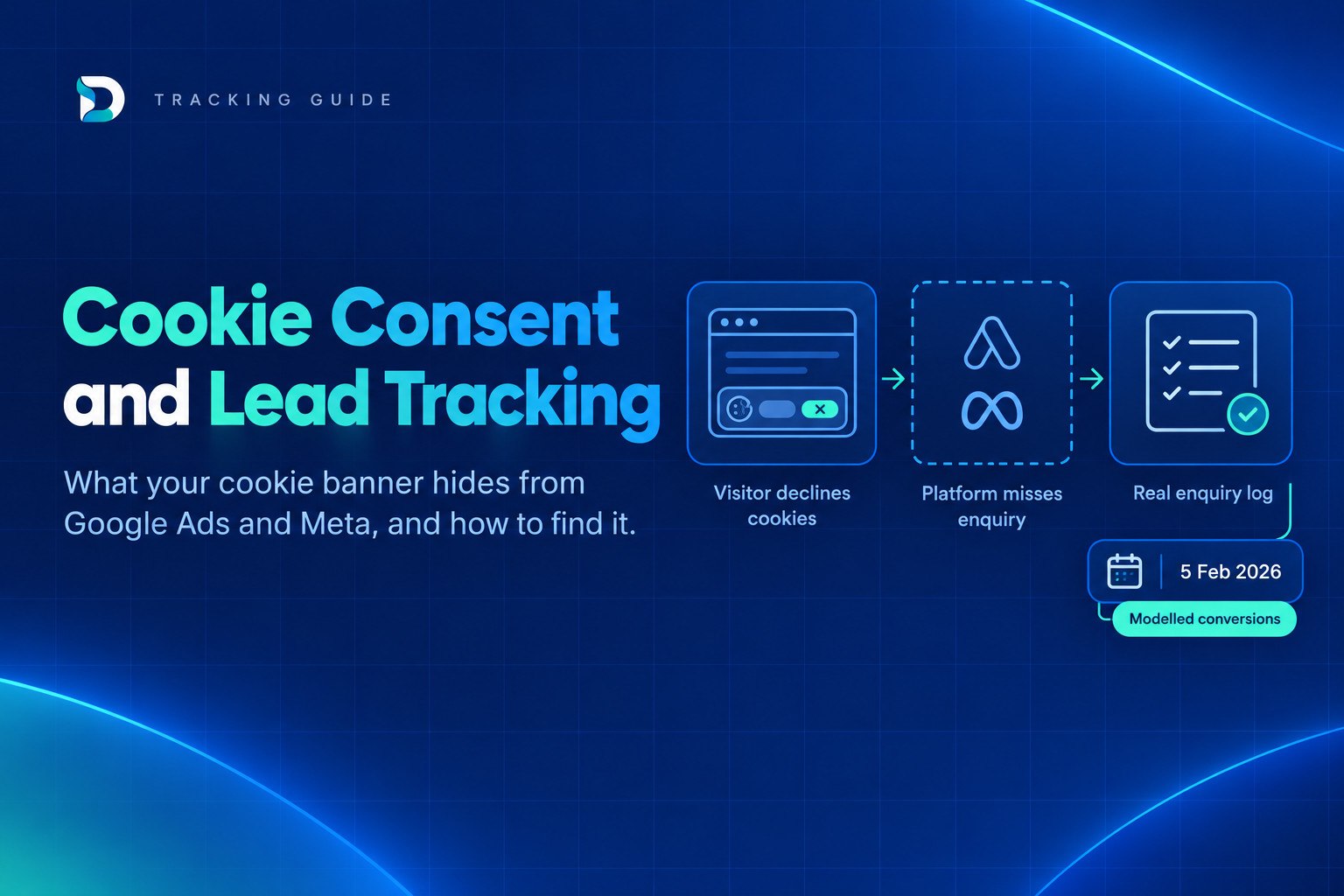
Cookie consent lead tracking in the UK comes down to this: advertising cookies generally still need consent, so visitors who decline can still enquire without Google Ads, Meta or GA4 seeing it. Your platforms will under-report real leads. The fix is not to remove the banner but to compare each platform's numbers with your own enquiry log. This article is practical guidance, not legal advice.
The short answer
- Advertising and tracking cookies still need consent in the UK. The 2026 changes did not remove that rule.
- Declined consent does not mean no enquiry. The person still rings, fills in the form or messages you. The platform just cannot link it to the ad.
- So platform numbers sit below reality. Google Ads, Meta and GA4 will often show fewer conversions than the enquiries you actually receive.
- Your own enquiry log is the check. Count real enquiries yourself, then measure the gap for each channel.
Your web developer, compliance provider or solicitor should confirm what your specific site needs. Nothing here replaces that.
What changed in UK cookie consent rules in 2026
The Data (Use and Access) Act amended the Privacy and Electronic Communications Regulations (PECR). The amended cookie rules, including the new exceptions, have applied since 5 February 2026.
The core rule stays. Storing or accessing information on a user's device is still not allowed unless an exception in new Schedule A1 applies. The new exceptions include collecting statistical information to improve an online service. In plain English, some basic analytics may need less friction than before, provided you meet the transparency requirements.
The ICO has also finalised its updated guidance on storage and access technologies. It explains how the new statistical and appearance exceptions work, and those two exceptions do not remove transparency obligations.
What did not change is the part that matters most for marketing. Advertising and tracking cookies, the kind Google Ads and Meta use to tie a click to an enquiry, still need consent. Whether your particular GA4 setup qualifies for the analytics exception is a question for the ICO guidance and your adviser. Do not assume it does just because the rules moved.
How your cookie banner hides enquiries from Google Ads, Meta and GA4
Here is what happens when someone clicks your ad and declines cookies.
Google says that when a user does not consent to ads or analytics cookies, consent mode adjusts the tags so they do not read or write those cookies. Advertisers then have a measurement gap and can no longer directly tie users' ad interactions to conversions.
The visitor still reads your page, still phones or submits the form. You still get the enquiry. Google Ads or Meta simply has no cookie to connect that enquiry back to the click, so it does not appear in the platform.
The same applies to small or badly designed banners. If the choice is hidden, easy to scroll past or tucked in a corner, many visitors will never click Accept. No click usually means no consent, so the tags stay quiet. Meta pixel cookie consent in the UK works on the same principle: no consent, no pixel-based tracking of that visit.
An illustrative example
This is a made-up example, not a benchmark:
| Count | |
|---|---|
| Google Ads conversions shown in the platform | 25 |
| Real enquiries in your own log from Google Ads traffic | 40 |
| Enquiries the platform cannot see | 15 |
On those numbers, the platform sees just over 60% of real enquiries. Not all of the 15 are down to consent, and we cover the other causes below. But if you only read the platform, you would think the campaign brought 25 leads when it brought 40. You might then cut a campaign that works.
Google also notes that the drop is not one-for-one. In its worked example, a 50% consent rate led to only a 19% drop in conversions, because unconsented users tend to convert less often. That is Google's illustration, not a rule for your account. Your own gap could be smaller or larger, which is why you need to measure it.
Why Google Ads, Meta and your enquiry log never match
Consent is only one reason the numbers differ. If you are asking why Google Ads conversions don't match enquiries, work through this list:
- Ad blockers and privacy tools stop some tags firing even when someone consents.
- Safari and iOS limits restrict how long and how well tracking can follow a visitor.
- Switching devices. Someone clicks on their phone, then enquires from a laptop later. The platform sees two different people.
- Phone calls and WhatsApp. No website tag sees a call to your number or a message in WhatsApp unless you have set up call tracking or another method.
- Duplicate conversion actions. If a form submission and a thank-you page view are both counted, the platform can over-report. That makes the gap look smaller than it is.
- Different definitions. A platform counts a conversion event. You count a genuine enquiry. They are not the same thing.
A gap is normal. A gap you have never measured is the risk, because every decision about budget then rests on a number you cannot trust either way.
Two pieces worth reading alongside this one are why last-click attribution misleads service businesses and how to know where your leads are coming from.
What Google Consent Mode does and does not fix
Google Consent Mode UK small business setups often get described as the answer to everything. It helps, but it does not solve the whole problem.
In plain English, Consent Mode tells Google's tags what the visitor chose in your banner. Without consent, the tags do not read or write advertising or analytics cookies. How the tags behave when consent is denied depends on how Consent Mode has been set up, and some setups give Google signals to model from. Your developer or tag manager setup decides what you have.
Two points matter for owners:
- Modelled conversions are an estimate. Google says modelled conversions appear in the Conversions column. That means the figure you see can include a statistical estimate, not just counted events. It is not a list of named enquiries.
- Some real conversions stay missing. Google also says some conversions that really happened may not be counted, because without cookies they cannot be attributed to ad clicks.
To check your status, open the diagnostics in your Google Ads account and look for the consent mode information there. Ask your agency or developer if anything looks incomplete.
Be sceptical of vendor claims that a tool will "recover most of your lost conversions". Those are vendor figures, usually from selected cases, and they do not tell you what will happen on your site. Consent Mode is worth having set up properly, but it narrows the gap rather than closing it.
A 30-minute check of your own cookie consent lead tracking
You do not need to be technical for this. Set aside half an hour.
- Test your banner on your phone. Open your site in a private browser tab. Is the choice obvious? Can you accept or decline in one tap? A banner people cannot find is losing you data and may cause compliance problems.
- Check Consent Mode status. Look at the diagnostics in Google Ads, and ask whoever manages GA4 whether consent signals are passed through.
- Count real enquiries for the last 30 days. Include web forms, phone calls, WhatsApp messages and enquiries from your Google Business Profile. Put them in one list.
- Ask every new enquirer how they found you. Add it to your phone script and your form. It is imperfect, but it catches what tags miss.
- Compare each platform's figure with your log. Record Google Ads, Meta and GA4 conversions beside your own count for the same channel and dates. Write down the gap for each.
- Ask your agency to explain any gap in writing. A good answer names the causes, such as consent, calls and device switching, and says how they are being handled.
Repeat monthly. The size of the gap matters less than whether it is stable and understood.
Count genuine enquiries, not just tracked clicks
Your enquiry log is the source of truth. Clicks, impressions and tracked conversions are useful signals, but genuine enquiries are what pay the bills.
A workable setup is simple:
- One lead log where every enquiry lands, whatever the channel.
- A source field on every form, plus a "how did you hear about us?" question.
- Call tracking, so phone enquiries are attributed rather than guessed. See our guide to call tracking for service businesses.
Then connect the channel data back to that log. That is what the DRD reporting dashboard does. It brings Google Ads, Meta Ads, GA4, Search Console and Google Business Profile into one view and connects the data back to enquiries, so you can see which marketing brings genuine enquiries rather than relying on any one platform's count. DRD starts from £49/month, with a 30-day free trial and no card needed.
This is the idea behind our wider approach: measurement and honest reporting come before adding more channels.
Questions to ask your agency about consent and tracking
Use these as a checklist at your next review:
- Is Consent Mode set up and verified? Ask to see the diagnostics, not just hear "yes".
- How are phone calls and form fills counted? Calls and WhatsApp are often missing.
- What share of enquiries does the platform not see? If they have never measured it, that tells you something.
- Is reporting based on enquiries or on platform conversions? The two can tell very different stories.
- Who owns the accounts and the data? You should be able to see everything directly.
Honest reporting is easier to trust when the agency's fee does not rise with your ad spend. Read our comparison of fixed fee versus percentage of ad spend to see why. Dashient charges a fixed monthly fee, never a percentage of ad spend, and ad spend is billed by Google or Meta directly to your own account.
Frequently asked questions
Next step
If you want to see which channels bring genuine enquiries without trusting any one platform's count, you can start a 30-day free trial of DRD. No card is needed.