Poor Quality Leads From Facebook Ads: Why and How to Fix It
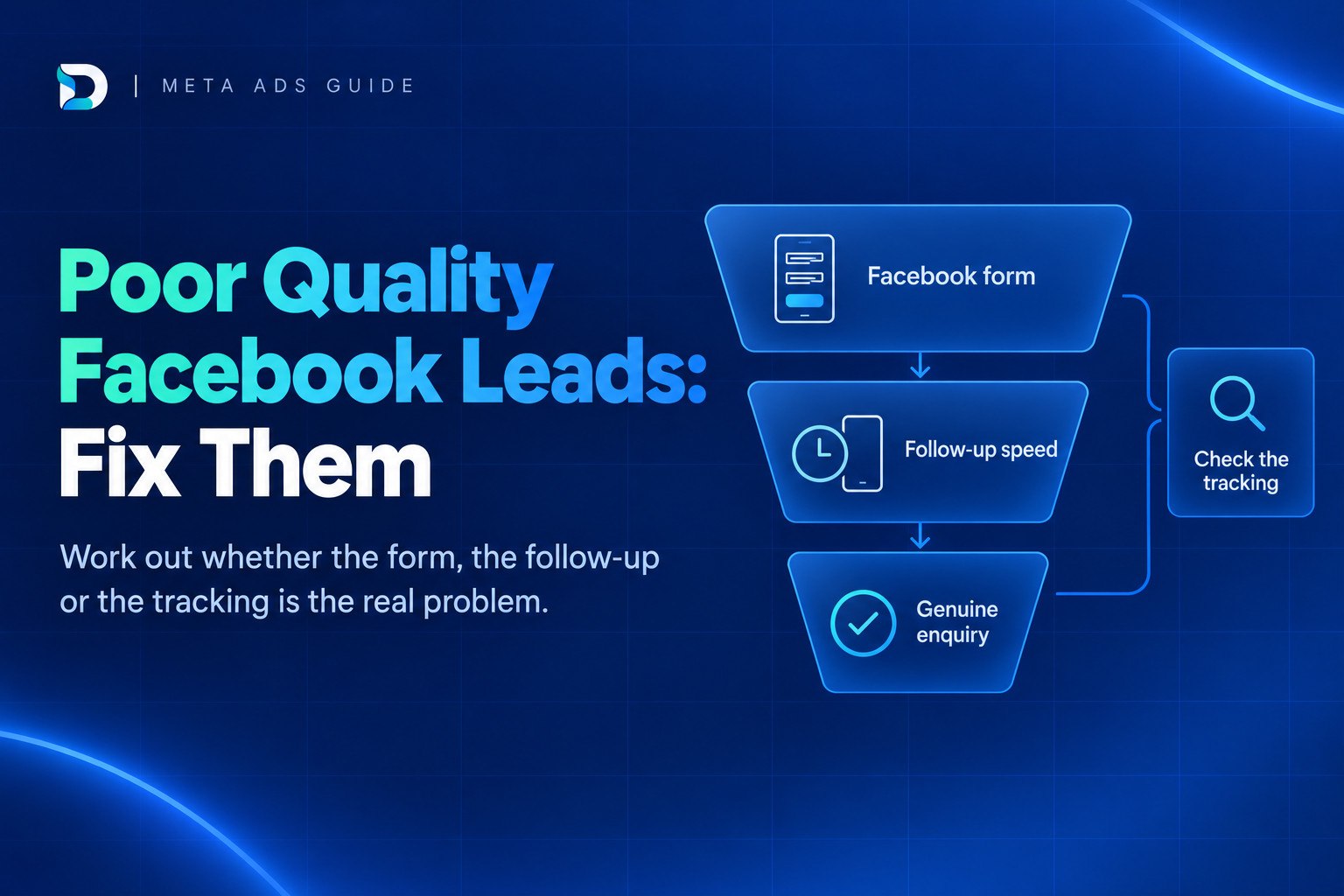
Poor quality leads from Facebook ads are rarely fixed by tweaking the form alone. Cheap enquiries that don't answer, don't book or aren't a fit usually trace back to one of five causes: a form that is too easy to submit, slow follow-up, an ad that attracts the wrong people, a campaign optimised for form fills, or tracking that stops at the form submission. Before you cut the budget, find out which one is yours.
This guide gives you a way to diagnose it using your own enquiry outcomes and a simple logging routine, rather than guessing from the Meta dashboard.
The short answer
Poor quality leads from Facebook ads usually come from one of five things:
- A form that is too easy to submit, so people tap through with pre-filled details.
- Slow or inconsistent follow-up, so interested people go cold before anyone calls.
- An ad that attracts the wrong people because the offer, service or area is vague.
- A campaign that Meta is optimising for form fills rather than booked jobs.
- Tracking that ends at the form submission, so nobody knows which leads became jobs.
Judge Meta on genuine enquiries and booked jobs, not cost per lead. The diagnosis checklist below shows you how to tell which cause applies to you, and what to change first.
What counts as a poor quality lead for a service business?
Define it before you fix it, because "poor quality" means different things and each has a different cure. For a service business, the usual types are:
- Wrong area: outside the postcodes you cover.
- Wrong service: they wanted something you don't offer.
- Fake or mistyped details: a wrong number or a made-up name.
- Accidental submission: a two-tap form on a phone, sent without much thought.
- No answer: you tried and got nothing.
- Not ready yet: genuine interest, but months away.
- Price shopper: only wants the cheapest figure.
Notice that "doesn't answer" is not the same as "bad". A person who filled in a form at 9pm on a scroll through Instagram may not pick up an unknown number at 10am the next day. That could be a bad lead, or it could be a decent lead you reached too late, or reached in the wrong way. You can't tell until you record what happened.
Give your team a short, fixed list of outcome labels and use them for every lead:
- Genuine: right area, right service, real person.
- Wrong fit: real person, but not something you can help with.
- No answer: after a proper set of attempts.
- Spam: fake or unusable details.
- Booked: appointment, visit or quote arranged.
- Won: became paid work.
If you want a fuller way to sort real enquiries from noise, see how to tell if your leads are genuine.
Five common causes of poor quality leads from Facebook ads (and how to tell which one is yours)
Facebook and Instagram show your ad to people who weren't looking for you. A Google searcher typed in what they need; a Facebook user was scrolling. That doesn't make Facebook worthless for service businesses in the UK, but it does mean intent is usually lower, and your form, speed and offer have to do more of the work. The comparison is covered properly in Google Ads vs Facebook Ads for service businesses.
Here are the five causes, each with a quick test using data you already have.
| Cause | What it looks like | Quick test from your own data |
|---|---|---|
| 1. Form too easy to submit | Lots of leads, many wrong numbers or "I don't remember filling that in" | Count the share of leads marked spam or accidental. Compare by form type if you've run more than one. |
| 2. Slow or inconsistent follow-up | Contact rate swings from day to day | Work out contact rate by how long you took to respond. If quick responses get answered far more often, speed is your problem. |
| 3. Vague offer, area or service | People ask for things you don't do, or live too far away | Tally "wrong fit" by reason and by ad. If one ad produces most of them, the message is the issue. |
| 4. Meta optimising for form fills | Cheap leads that never turn into work, even when you respond fast | Check outcomes per campaign. If cost per lead looks great and booked jobs don't follow, the system is chasing submissions. |
| 5. No tracking past the form | You can't say which ads led to jobs | Try to name the ad behind your last five won jobs. If you can't, this is a measurement gap. |
1. The form is too easy to submit
Instant Forms can pre-fill name, email and phone from the person's profile. On the More Volume setting, the form is designed to be quick to fill out and submit on mobile, which is great for volume and not so great for intent. People submit in two taps and may barely remember doing it.
2. Leads are called hours or days later
Many "junk lead" complaints are really slow call-backs. The enquiry was fine at 8pm. It wasn't fine by Thursday.
3. The offer doesn't say who it's for
If your ad doesn't state the service and the area you cover, you'll attract anyone vaguely interested. A clear "boiler servicing in [your town]" is likely to bring in more qualified enquiries than a general "Get a free quote".
4. Meta is optimising for the wrong outcome
If the campaign is set to get you form submissions, that is what Meta will find: people most likely to submit forms. That isn't the same as people likely to book a job.
5. Nobody can see what happened next
Without a record of outcomes by campaign or ad, you can't separate a form problem from a follow-up problem. This is also where leads quietly disappear, which is covered in why enquiries get lost after the click.
Fix the form: Higher Intent, one qualifying question and honest friction
In Meta's lead ad setup, the More Volume form type is designed to be quick to fill out and submit on mobile, while Higher Intent adds a review step that lets people confirm their information. That review step is a small piece of friction, and for a service business it is often worth testing. A person who pauses to check their number may be more likely to pick up when you ring.
Beyond the form type, add one or two multiple-choice questions that filter the wrong people out without making the form feel like an interrogation:
- Service needed: a short list of what you actually offer.
- Postcode or area: so you can see at a glance whether they're in range.
- Timescale: "as soon as possible", "within a month", "just researching".
Keep it to one or two. Every extra field loses some people, and a long form can push away good leads along with the poor ones.
The trade-off: fewer leads, higher cost per lead
Adding friction normally means fewer leads and a higher cost per lead. That looks worse in the dashboard and better in the diary. So measure cost per genuine enquiry, not cost per lead.
Here is a purely illustrative example, not real results. Imagine two versions of the same campaign, each with about £400 of spend:
| More Volume form | Higher Intent form with a qualifying question | |
|---|---|---|
| Spend | £400 | £392 |
| Leads | 50 | 28 |
| Cost per lead | £8 | £14 |
| Genuine enquiries | 10 | 14 |
| Cost per genuine enquiry | £40 | £28 |
The first form looks cheaper per lead, but the second one costs less for each real conversation. Your own numbers will differ, which is the point of logging outcomes.
Instant Form or your own website form?
An Instant Form keeps people inside Facebook, which is fast and convenient. Sending them to a landing page on your website takes more effort from the visitor, so you usually get fewer submissions, but those who complete it have typically done more reading. It also lets you track what they did on your site. If Instant Forms keep producing low-fit enquiries even after you've tightened the form and the follow-up, testing a landing page is a sensible next step, covered at the end of this guide.
Fix the follow-up: speed, script and legal calling basics
Before you blame the leads, check how you handle them. For many small firms, the enquiry arrives while someone is on a job, in a treatment room or in a meeting, and the call-back happens later, if at all.
A workable routine:
- Instant alerts: set up a notification to a phone, email or shared inbox the moment a lead arrives, so it isn't waiting for someone to check Meta.
- One owner: every lead has a named person responsible for the first contact. "The team" means nobody.
- Call, then text: ring first. If there's no answer, send a short text that says who you are, what they enquired about and how to reach you. Then try again at a different time of day.
- A fixed number of attempts: agree it in advance, spread across a couple of days, then mark the lead "no answer" so your data is consistent.
- A short script: introduce yourself, mention the form they filled in, confirm the service and area, and ask one question about timing. Keep it conversational, not scripted-sounding.
UK calling basics
Treat this as a pointer, not legal advice. Under ICO guidance, you generally must not make marketing calls to any number on the TPS or CTPS unless that person has specifically consented to your calls. Whether a call counts as marketing can depend on the context, so check the ICO guidance rather than assuming a form enquiry covers every kind of call, and take particular care if a person has objected.
Some sectors have tighter rules. The ICO says that for live marketing calls about claims management services you must have consent, and you may also need consent for calls about pension schemes. It also says that people can withdraw consent at any time, and if they do you must stop making calls based on that consent. Check the ICO guidance for your own sector, and make sure the form tells people how you'll contact them.
Fix the measurement: judge Facebook on enquiries, not cost per lead
The Meta dashboard reports form submissions. It doesn't know whether the person answered, turned up or paid. GA4 and Meta numbers also differ, because they count different things in different ways, so don't expect them to match.
The fix is a simple log. For every lead, record:
- Date and time the lead arrived.
- Campaign and ad (so you can see which creative brings which outcomes).
- Time of first contact and number of attempts.
- Outcome label: genuine, wrong fit, no answer, spam, booked or won.
- Job value, if won.
A spreadsheet is enough. After several weeks you can work out cost per genuine enquiry, cost per booked job, and which ads bring the wrong people.
Closing the loop with Meta
Once you have reliable outcomes, you can feed them back to Meta so it can optimise for qualified leads rather than raw form fills. Meta's Conversion Leads goal and the Conversions API are the tools for this. They need enough volume of qualified outcomes to work well, so many small businesses will start by logging outcomes by hand and using that to improve the ad and the form first.
If you'd rather not build that by hand, a reporting dashboard can do the joining-up. Dashient's DRD brings Meta Ads, Google Ads, GA4, Search Console and Google Business Profile into one view and connects the data back to enquiries, so you can see which Meta ads bring genuine enquiries and compare Facebook honestly with your other channels.
Poor quality leads from Facebook ads: when to pause, change or keep running
Give it several weeks of logged outcomes before deciding. Then use this guide:
- Low contact rate, but only on slow-response leads: fix follow-up first. The ad may be fine.
- Leads are reached but are the wrong fit: change the offer, the ad copy and the form. State the service and area, add a qualifying question and consider Higher Intent.
- No genuine enquiries even after those fixes: test a website landing page, or move some of the spend to search, where people are actively looking.
- You can't tell what's happening: fix tracking before you change anything else. Adding channels or budget on top of unclear data just adds more noise.
That last point applies generally: measurement comes before adding more channels. For higher-value services such as legal work, a low volume of enquiries can still be profitable, so cost per qualified enquiry is the number to watch, not cost per lead.
Frequently asked questions
Next step
Start by logging outcomes for the next several weeks, then use the guide above to decide what to fix. If you'd like those outcomes connected to your Meta and Google data in one place, start your free DRD trial. It's 30 days, no card needed.