Why Do I Keep Losing Leads? 7 Real Reasons (And How to Fix Them)
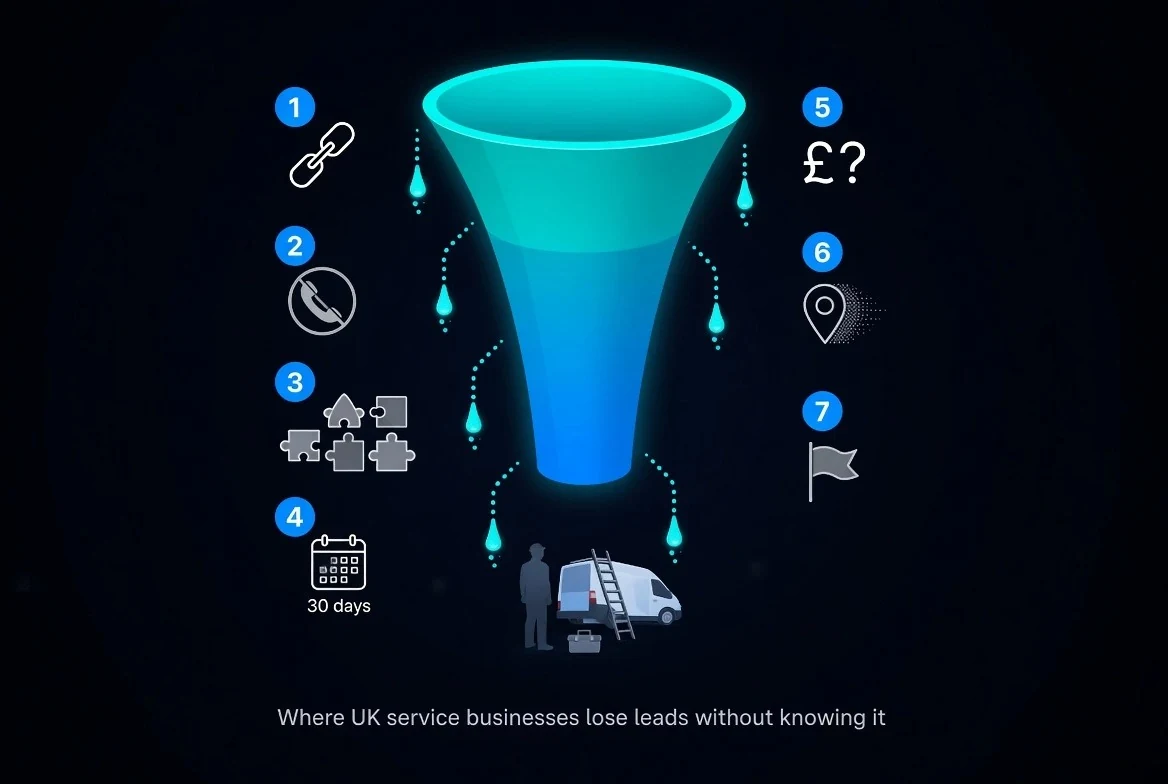
You're running ads, posting on Google Business Profile, and paying an agency to "handle SEO" — but the phone has gone quiet and your enquiry list looks thin. If you're losing leads and can't work out why, you're not imagining it. Most UK service businesses lose enquiries not because their marketing isn't working, but because nothing is actually tracking where those enquiries come from.
Businesses typically keep losing leads because their tracking only credits the last click, ignores phone calls and direction requests, and lives across five disconnected tools instead of one dashboard. Fix the tracking, and most of the "lost" leads turn out to have been there all along — just invisible.
1. You're Only Tracking the Last Click
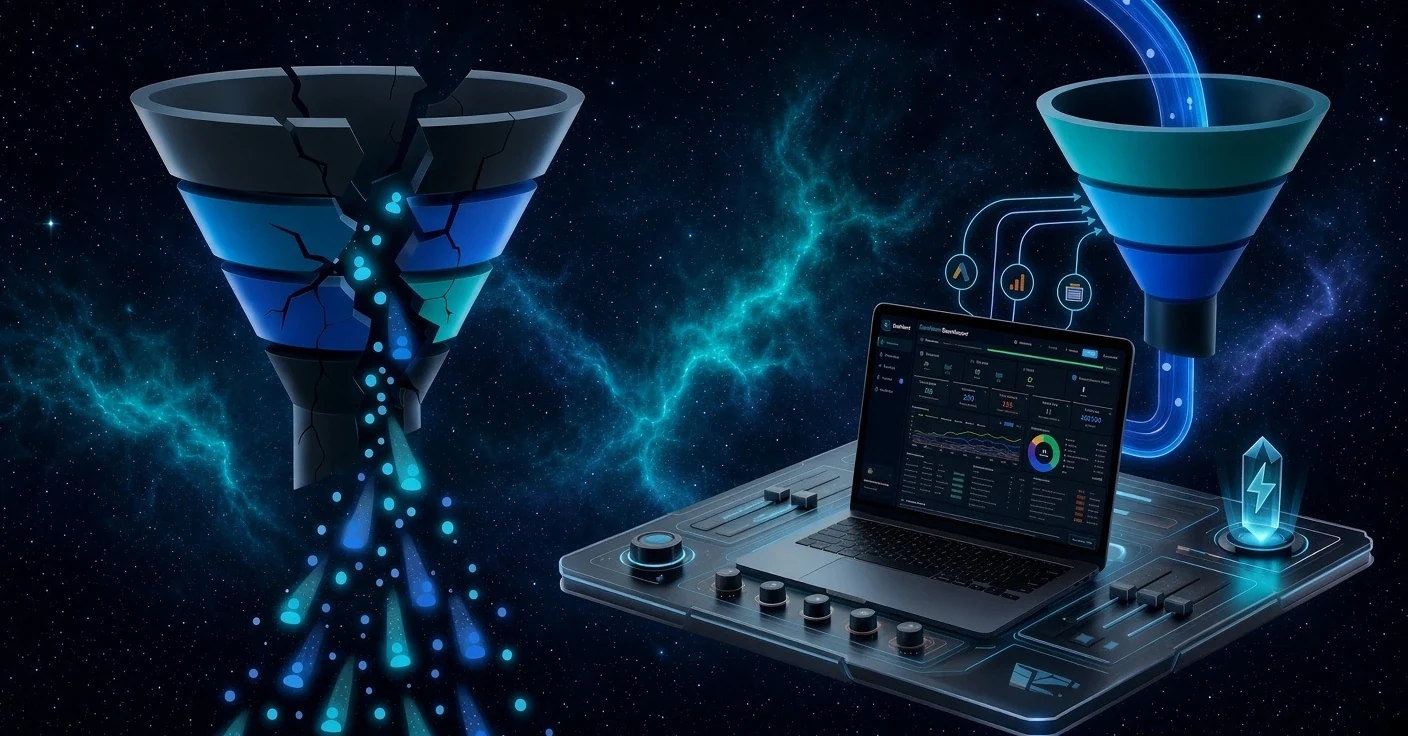
A typical enquiry doesn't happen in one step. Someone sees your Meta ad on their lunch break, forgets about it, searches your service on Google two days later, taps a map-pack result, and calls you from the car. Standard tracking hands all the credit to Google Business Profile and gives Meta nothing — so the campaign that actually started the journey gets cut for "underperforming." You're not losing leads here. You're losing the ability to see them.
2. Calls and Direction Requests Aren't Counted as Leads
Most tracking setups are built around form submissions. But for local service businesses, a huge share of real enquiries are phone calls and "get directions" taps — and if those aren't wired into your reporting, they simply don't exist on paper. Your business might be busier than your dashboard says; the dashboard is just blind to how people actually contact you.
3. Your Data Lives in Five Different Tools
Paid ads, GA4, Search Console and Google Business Profile — each platform reports its own numbers, in its own dashboard, using its own definition of a "result." Without something pulling them into one place, you're left manually comparing spreadsheets, and manual comparison means missed leads and misread trends.
4. Your Agency Reports Monthly, Not Daily
A PDF that lands on the 5th of the month is already four weeks out of date. If a campaign started leaking leads on day three, you won't find out until the damage is done and the budget is spent. Real-time visibility is the difference between catching a problem and explaining it after the fact.
5. You Don't Know Your True Cost-Per-Enquiry
Cost-per-click and cost-per-impression look fine in isolation, but they don't tell you what a real enquiry actually costs once paid, organic and local channels are blended together. Without a blended cost-per-enquiry figure, it's easy to keep funding the channel that looks cheapest on paper while quietly losing leads that would have converted through a different, better-value route.
6. Google Business Profile Activity Goes Untracked
For local service businesses, GBP often drives more calls and direction requests than any other channel — yet it's the one most agencies report on least. If nobody is watching profile views, calls and direction taps week to week, you won't notice when a competitor edges you out of the map pack until the leads have already dried up.
7. No One's Flagging What's Changing, Week to Week
Data without a weekly review is just noise. If nothing is actively flagging which channel moved up, which page's click-through rate dropped, or which keyword gained rank, small problems compound into big ones — and by the time you notice, you've spent weeks losing leads you could have caught in days.
How to Stop Losing Leads: See Every Enquiry in One Place
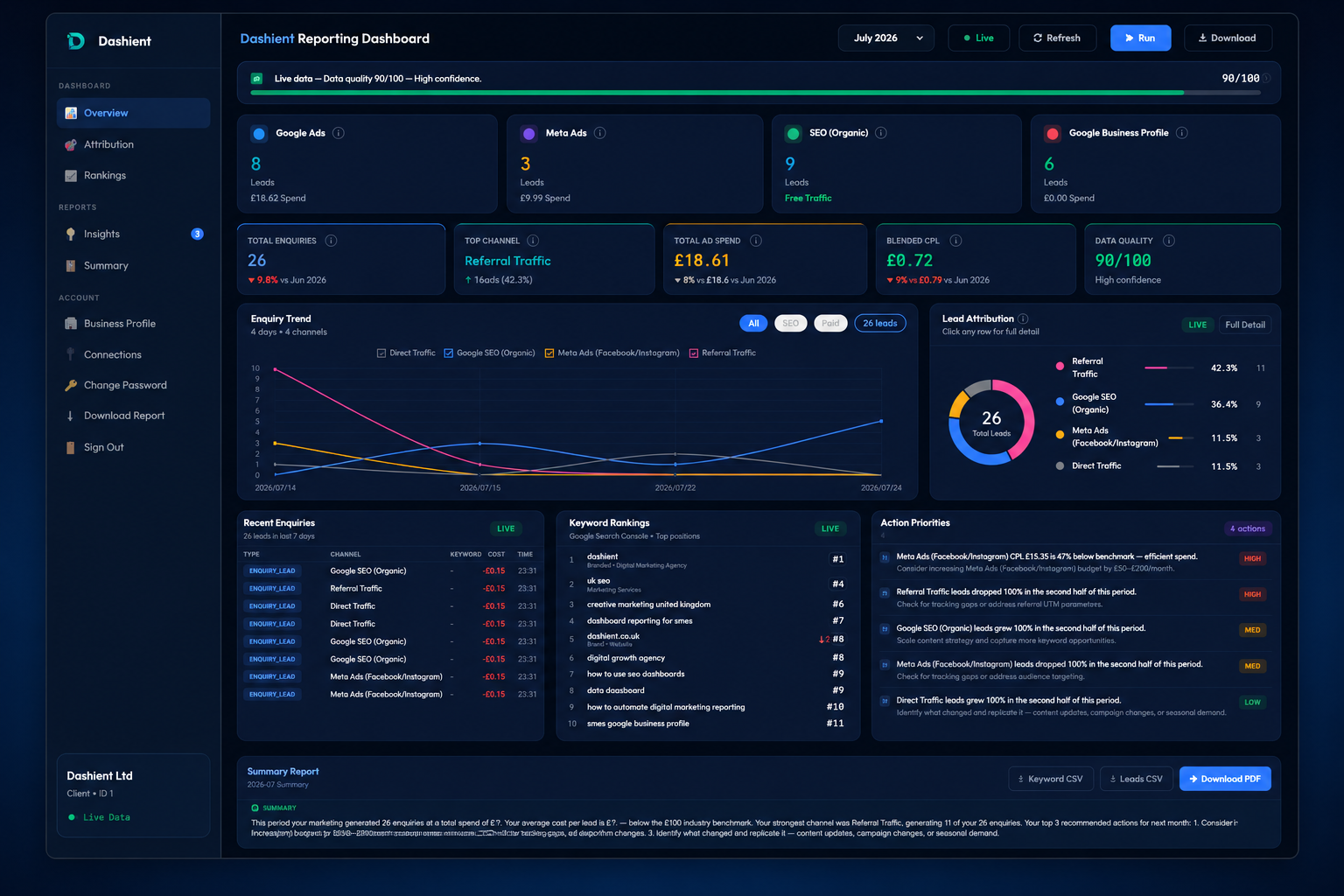
This is exactly the gap the Dashient Reporting Dashboard (DRD) was built to close. Instead of stitching together numbers from five platforms and a monthly PDF, DRD unifies Google Ads, Meta Ads, GA4, Search Console and Google Business Profile into one live view — updated daily, not once a month.
Every enquiry — form submission, click-to-call tap, or direction request — is mapped back to the channel and campaign that actually produced it, using multi-touch attribution rather than last-click guesswork. You get a blended cost-per-enquiry you can trust, a donut view of where leads are really coming from, and weekly flags on what's moving up or down, so you know exactly where to focus before a small dip becomes a real problem.
If you want the fuller picture of how attribution works and why last-click tracking breaks down for service businesses specifically, our guide to lead attribution walks through it step by step. And if you're not yet sure where your enquiries are actually coming from, start with how to find your leads — it's the practical first step before any dashboard setup.
Setup is quick: one Google login covers Google Ads, GA4, Search Console and Google Business Profile, and one Meta login covers Facebook and Instagram — typically 1–3 hours across two calls, not weeks of implementation. Every Dashient plan pairs the dashboard with done-for-you SEO and ads management, so what the data flags, we actually fix — instead of leaving you with a chart and no next step.
Book a free audit and we'll show you exactly where your enquiries are coming from, at no cost. You can also follow Dashient on LinkedIn and Facebook, where we share the same channel-by-channel breakdowns we build for clients.