Digital Marketing for Plumbers: A UK Guide to Getting More Local Jobs
If you're a plumber and your diary depends on who happens to remember your name or spot your van, you're leaving jobs on the table. The homeowners who need you are already online, searching "plumber near me" or "boiler repair [town]" the moment something goes wrong. The plumbing businesses that stay busy year-round aren't necessarily the best plumbers — they're the ones who show up first when that search happens.
This guide walks through digital marketing for plumbers step by step: what to set up first, what to spend money on, and how to actually know whether any of it is working. No jargon, no theory you can't use on a Monday morning.
Step 1: Get Your Local Foundations Right
Before spending a penny on ads, get the free stuff working. This is what Local SEO for Plumbers covers, and it's usually the highest-return step because most plumbing searches are local — and the map pack (the three businesses shown under the map) gets the bulk of the clicks.
- Fully complete your Google Business Profile — categories, service area, opening hours, callout availability.
- Upload real photos of completed jobs, not stock images.
- Keep your business name, address and phone number identical across every directory (Yell, Checkatrade, Bing Places, your website).
- Actively collect reviews after every job — a steady flow beats a big batch once a year.
Reviews carry more weight than most plumbers assume. Trust signals like this influence buying decisions everywhere, from trades to hospitality — a steady stream of recent, positive reviews does a lot of the selling before the phone even rings. A homeowner comparing two plumbers will almost always call the one with more recent five-star reviews.
Step 2: Turn On Plumbing Advertising for Immediate Demand
Local SEO takes weeks to build. If you need calls this week, plumbing advertising fills that gap. Google Ads with call extensions is the standard starting point — it puts you at the top of the page for "emergency plumber" and similar searches, with a phone number the customer can tap without even visiting your website.
A few things separate a campaign that pays for itself from one that quietly drains the budget:
- Call tracking, so you can see which calls came from the ad and which were already going to happen.
- Separate campaigns for emergency call-outs versus planned work like bathroom fits.
- Bid schedules that reflect real demand — a burst pipe at midnight behaves nothing like a Sunday afternoon enquiry.
Once Google Ads is bringing in emergency work, Meta Ads (Facebook and Instagram) is worth adding for planned jobs — before/after bathroom photos and boiler upgrade offers tend to perform well there. Both sit under the same plumbing advertising umbrella, and running them together usually costs less per job than either channel alone.
Step 3: DIY, or Hire a Plumber PPC Company?
Plenty of plumbers start by running their own Google Ads account, and it's a reasonable way to learn the basics. The problem shows up a few months in: without call tracking and proper campaign structure, it's easy to keep spending on keywords that generate clicks but never turn into booked jobs. A specialist plumber PPC company earns its fee by knowing which keywords convert for trades specifically, structuring campaigns around emergency versus planned work, and adjusting spend based on which calls actually became jobs — not just which ads got clicked.
Step 4: Make Sure the Website Behind It All Can Convert
None of the above matters if someone clicks through and the site is slow, doesn't work properly on a phone, or buries your phone number. This is the SEO services for plumbers side of things — separate pages for emergency plumbing, boiler repair, bathroom fitting and drainage (so each can rank for its own searches), fast mobile load times, and a phone number that's tappable, not just printed text.
Step 5: Measure What's Actually Bringing In Jobs
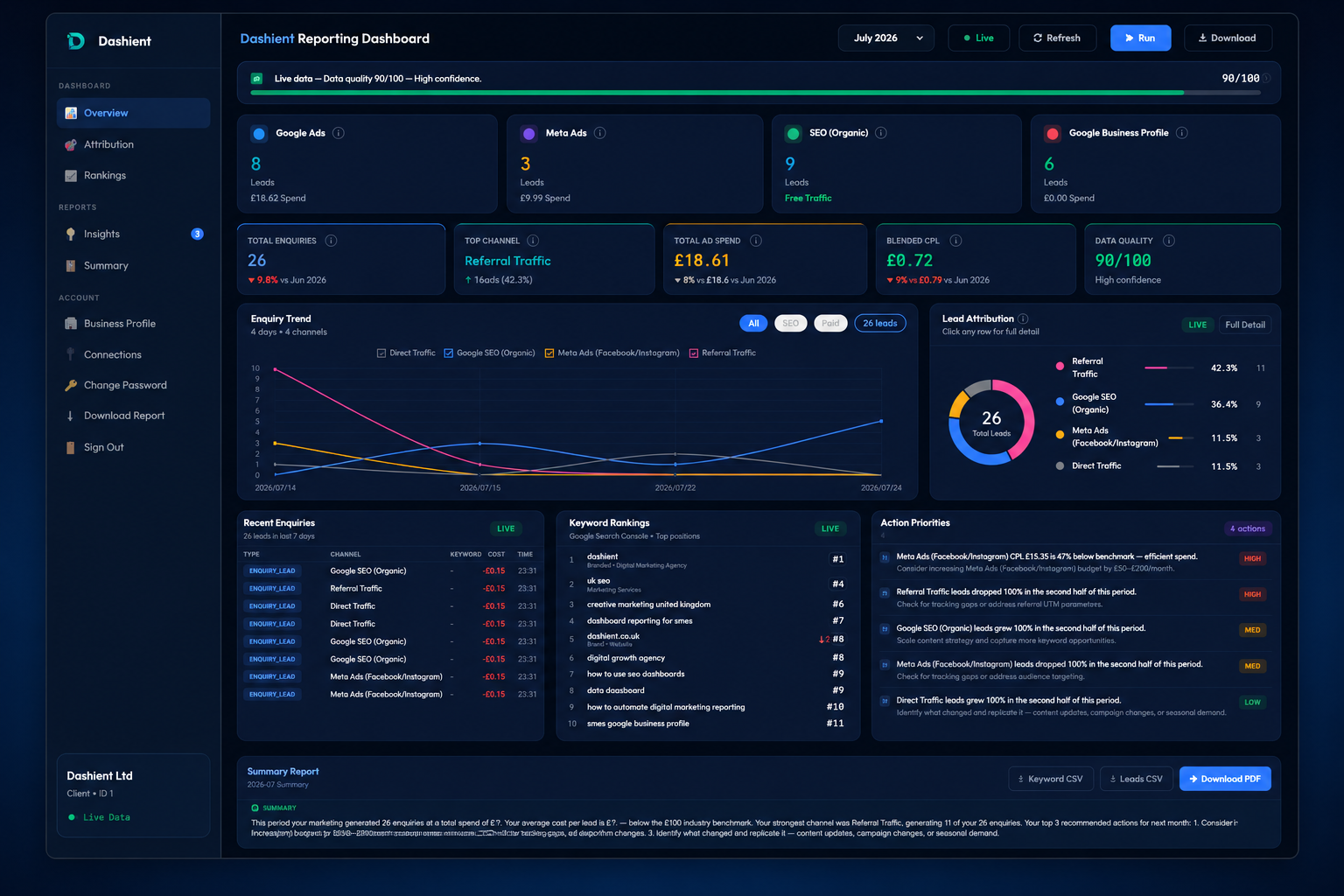
The Dashient Reporting Dashboard (DRD) pulls Google Ads, Meta Ads, GA4, Search Console and Google Business Profile into one dashboard, ties every one of those five sources back to your real enquiries — calls, form submissions, bookings — and shows you a single, honest number: blended cost-per-enquiry, by channel. No more guessing. No more last-click bias. No more agency reports that only show the metrics that flatter the agency.
What DRD actually shows you:
- Which of your five channels is genuinely producing enquiries, and which is riding on the credit of another.
- Your true cost-per-enquiry, blended across every channel — not the misleading per-platform CPC.
- Enough clarity to make a 30% budget cut or a 30% budget increase with confidence, instead of a guess.
Important: DRD isn't just for local trades. Everything above this section was about local service businesses because that's where Google Ads CPC data is easiest to illustrate. But the attribution problem DRD solves — five disconnected channels, no single source of truth, last-click reporting hiding the real picture — hits every UK SME running paid and organic marketing together: ecommerce, SaaS, clinics, professional services, multi-location retailers, all of it. If you're spending money to be found on Google and Meta and you can't confidently say which channel is actually paying for itself, DRD is built for you.
Quick-Start Checklist
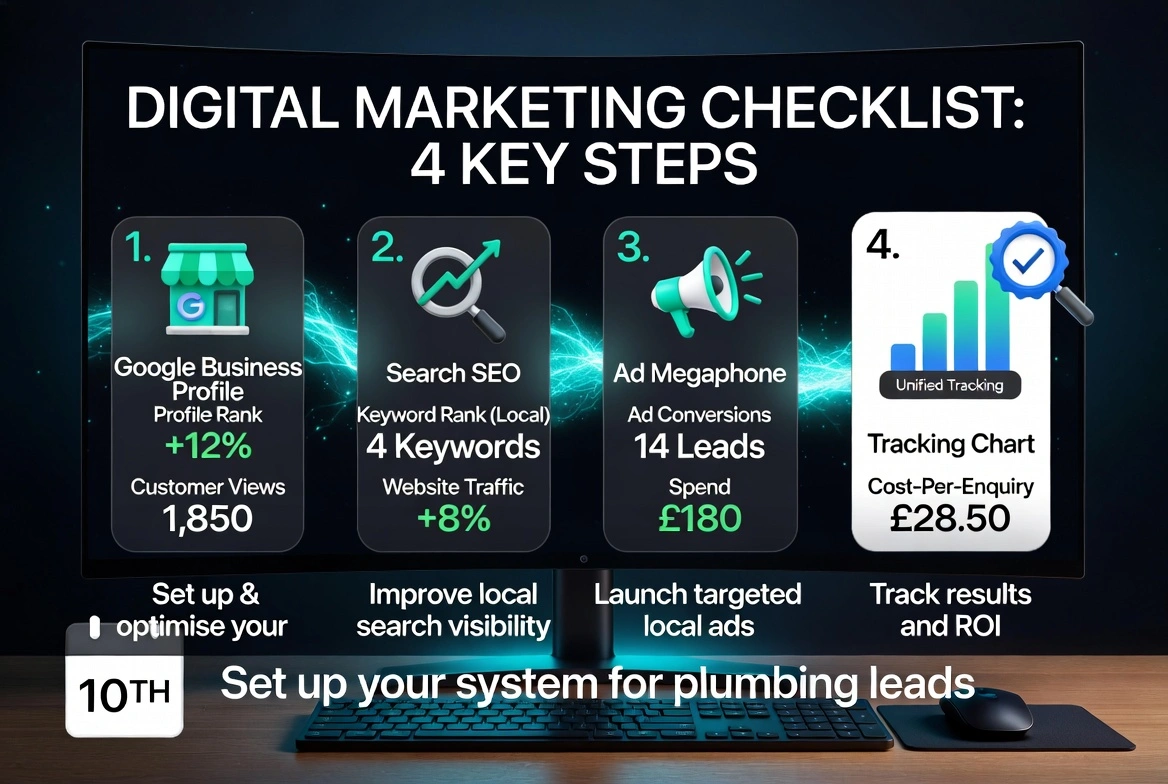
- Complete and optimise your Google Business Profile.
- Fix NAP consistency across directories and start collecting reviews weekly.
- Launch a Google Ads campaign with call tracking for emergency searches.
- Add Meta Ads for planned jobs once emergency ads are stable.
- Split your website into separate service pages instead of one generic page.
- Put every channel into one dashboard so you know your real cost-per-enquiry.
Frequently asked questions
Getting Started
If you'd rather have one clear view of what's bringing in real jobs instead of juggling five separate reports, that's exactly what Dashient was built for. We also share plain-English marketing tips for UK trades on Facebook.
Book your free marketing audit and see exactly where your plumbing enquiries come from.